
ActiveSLR Plus
AI acrossyour whole review.
An AI reviewer at every stage. It screens, reads and extracts the way a reviewer does, shows its reasoning and its sources, and a person always makes the final call.
A reviewer,
not a suggestion box.
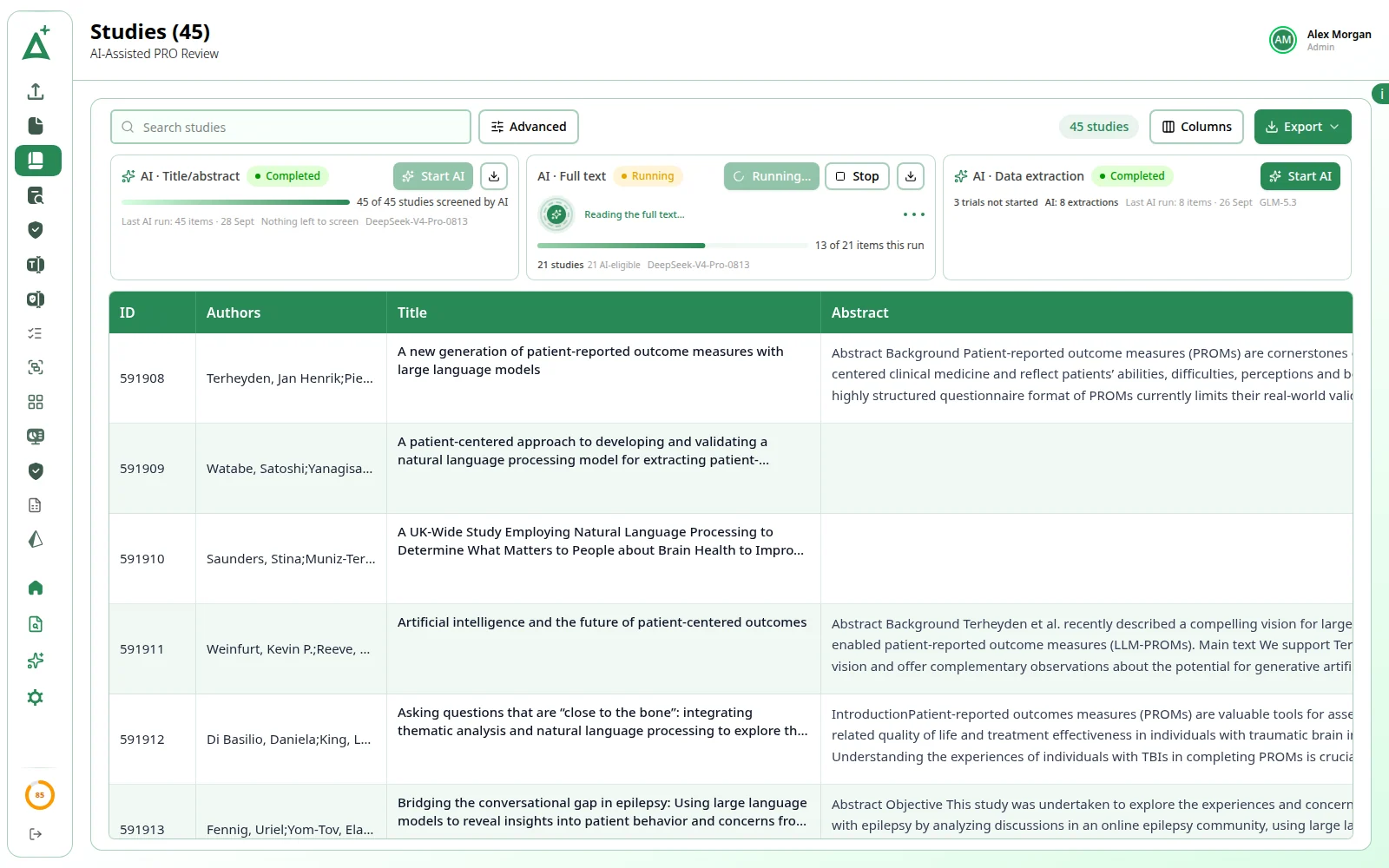
At title/abstract and full-text screening the AI reviewer takes a free review slot and writes its decision into it exactly as a person would, with its reasoning. A person always has the final say.
01Title/abstract screening
Screens like a reviewer.
Reads each title and abstract, weighs it against your PICOS and applies your exclusion criteria, then records a decision with its reasoning in a free review slot.
02Full-text screening
Reads the whole paper.
Reads each study's PDF once it has been processed to text, and writes its decision and reasoning into the full-text reviewer slot for QC or reconciliation.
AIon every decision it makes, with its reasoning labelled AI:
Set up per project, decided by a person.
- 01
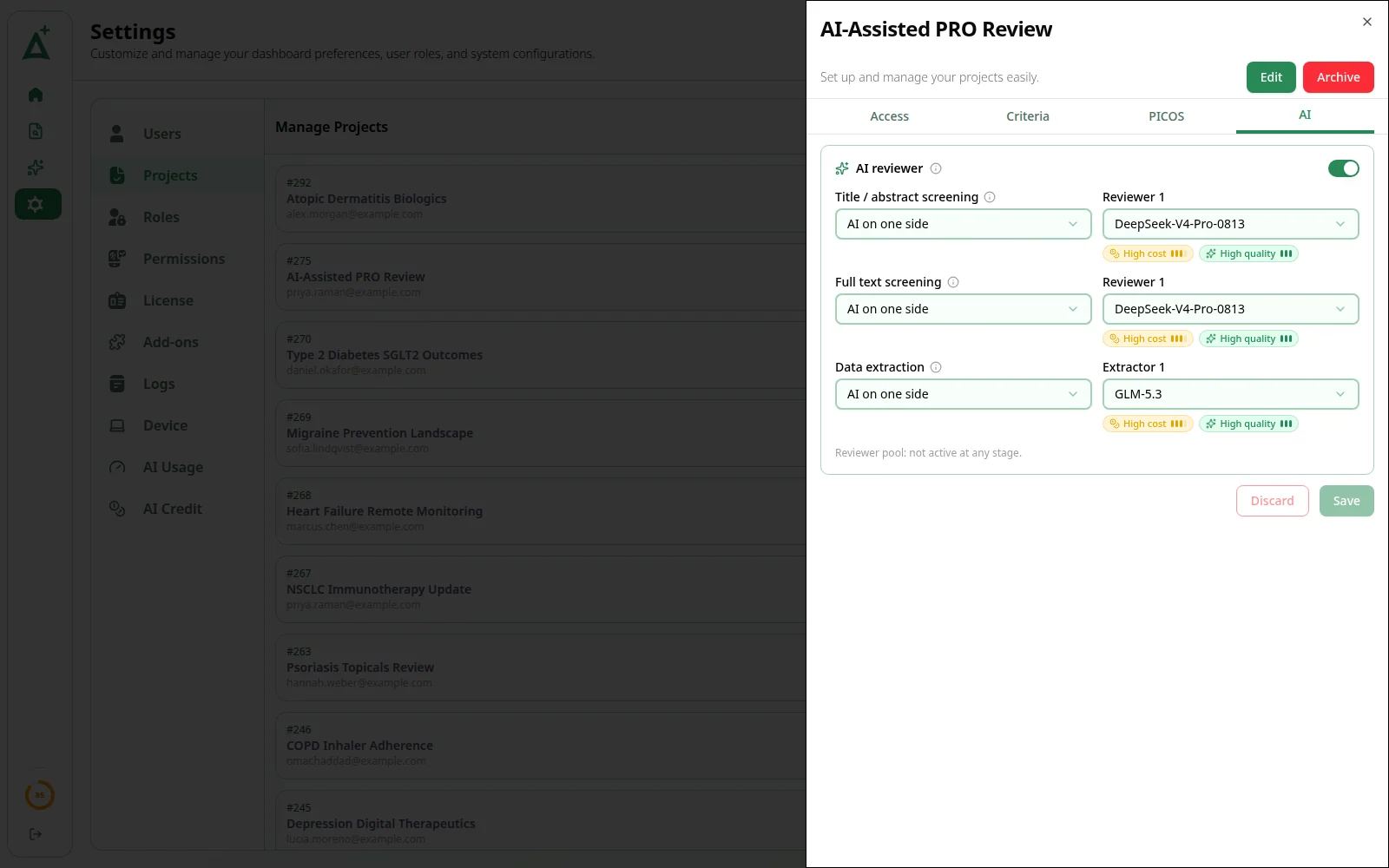
Choose how much AI does
In the project's AI tab, set each stage to No AI, AI on one side or AI on both sides, and pick the model for each slot. Both sides need a double-screening project.
- 02
Start AI on pending work
Nothing runs until someone presses Start AI on the AI runs strip of the Studies page, where every run is watched and stopped too.
- 03
AI fills a free slot
It takes whichever review slot is still free and records its decision, with its reasoning in the slot's comment. It never overwrites a decision a person has made.
- 04
A person decides
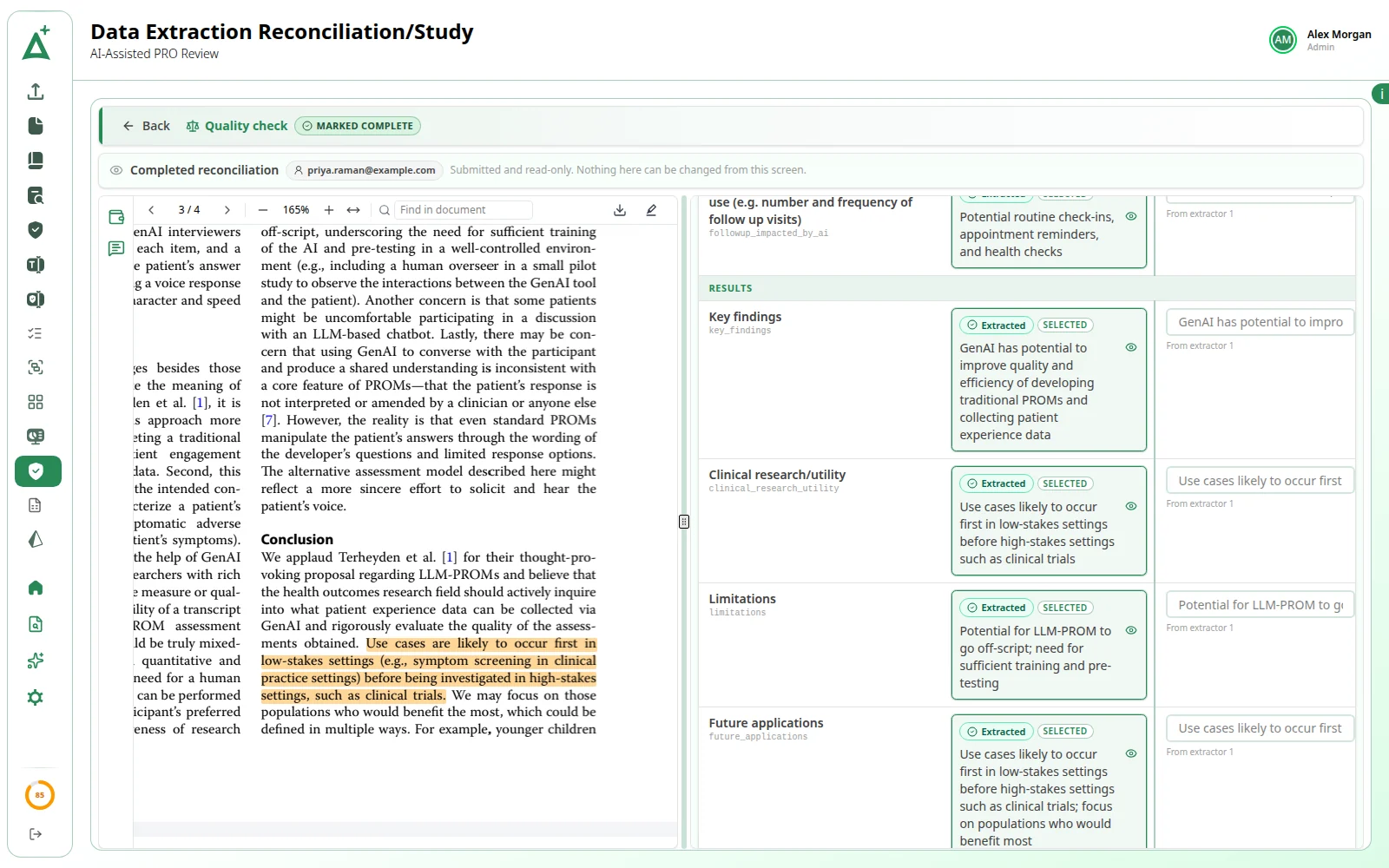
On single screening, quality check samples AI's decisions like anyone's. On double screening, every disagreement goes to a reconciler.
Every value, with its source.
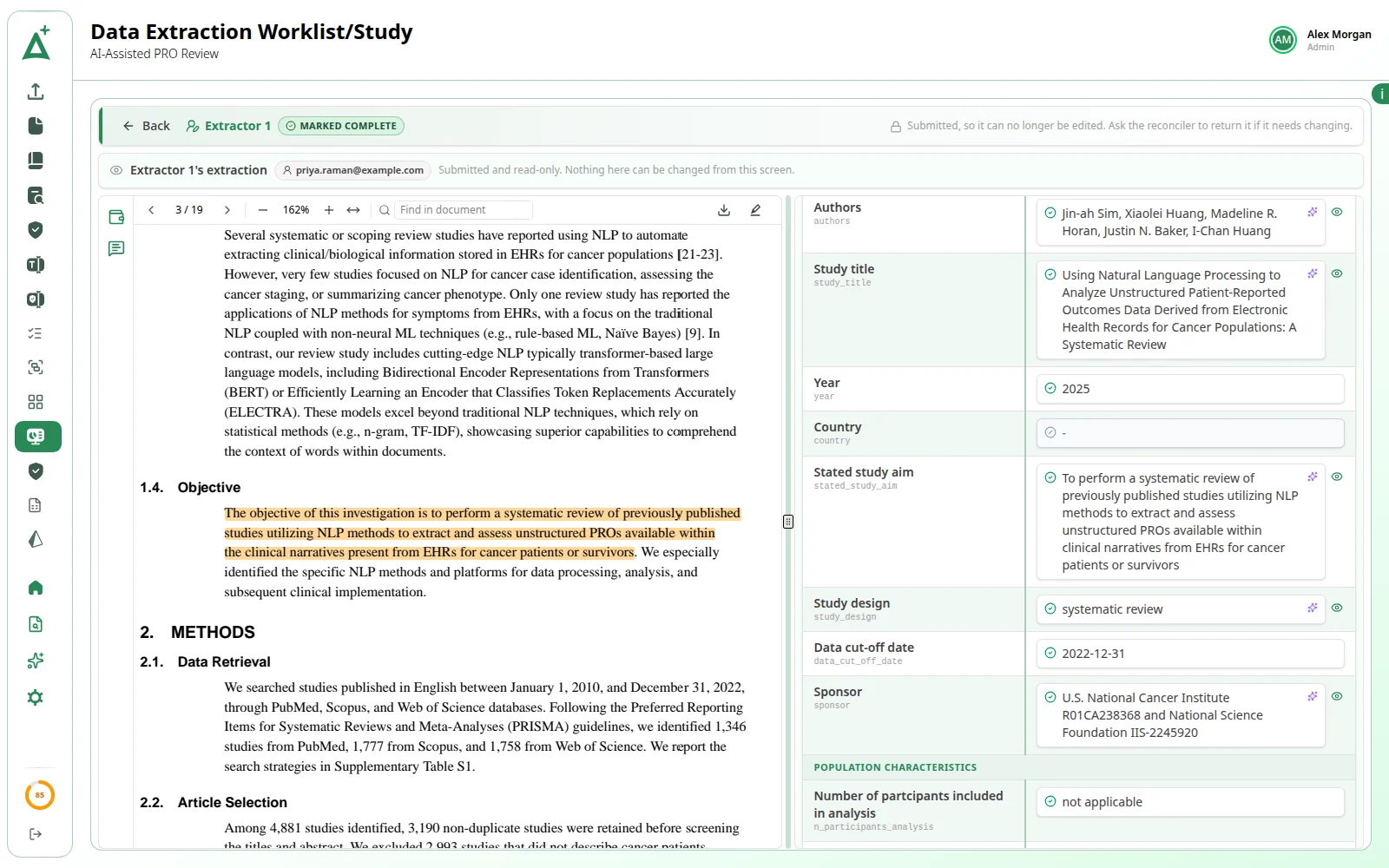
The AI reads the full text against your frozen grid, identifies the treatment arms and answers every field, each value with the source quote, the page and a confidence percentage.
View source on page N
One click to the sentence.
The eye button beside a cell moves the PDF to the cited page and highlights the quoted sentence where it sits in the paper, so you read what surrounds it before you accept the value.
Every quote is tagged by how closely it backs the value:
- direct quote
- same section
- inferred
- Page 6
Quality check and reconciliation
Checked against the paper.
An AI-completed extraction goes to quality check or reconciliation like anyone's. Either extractor can be the AI: the second person opens each extractor's quote in the PDF with the same eye button and chooses the final value.
Only empty or failed cells
The AI only ever answers cells that are still empty or failed, so nothing a person has entered is overwritten.
Extract with AI, one trial
Draft the empty cells of your own extraction slot with a model the other side is not using. You review every answer and mark it complete yourself.
Marked and restorable
Every AI-filled cell is marked Answered by AI. Type over it and the AI answer stays beside yours, ready to restore.
More AI, across the review.
Plus also brings AI to the search, the protocol and the extraction grid, and shows every run and what it used.
Runs & usage
Start it, watch it.
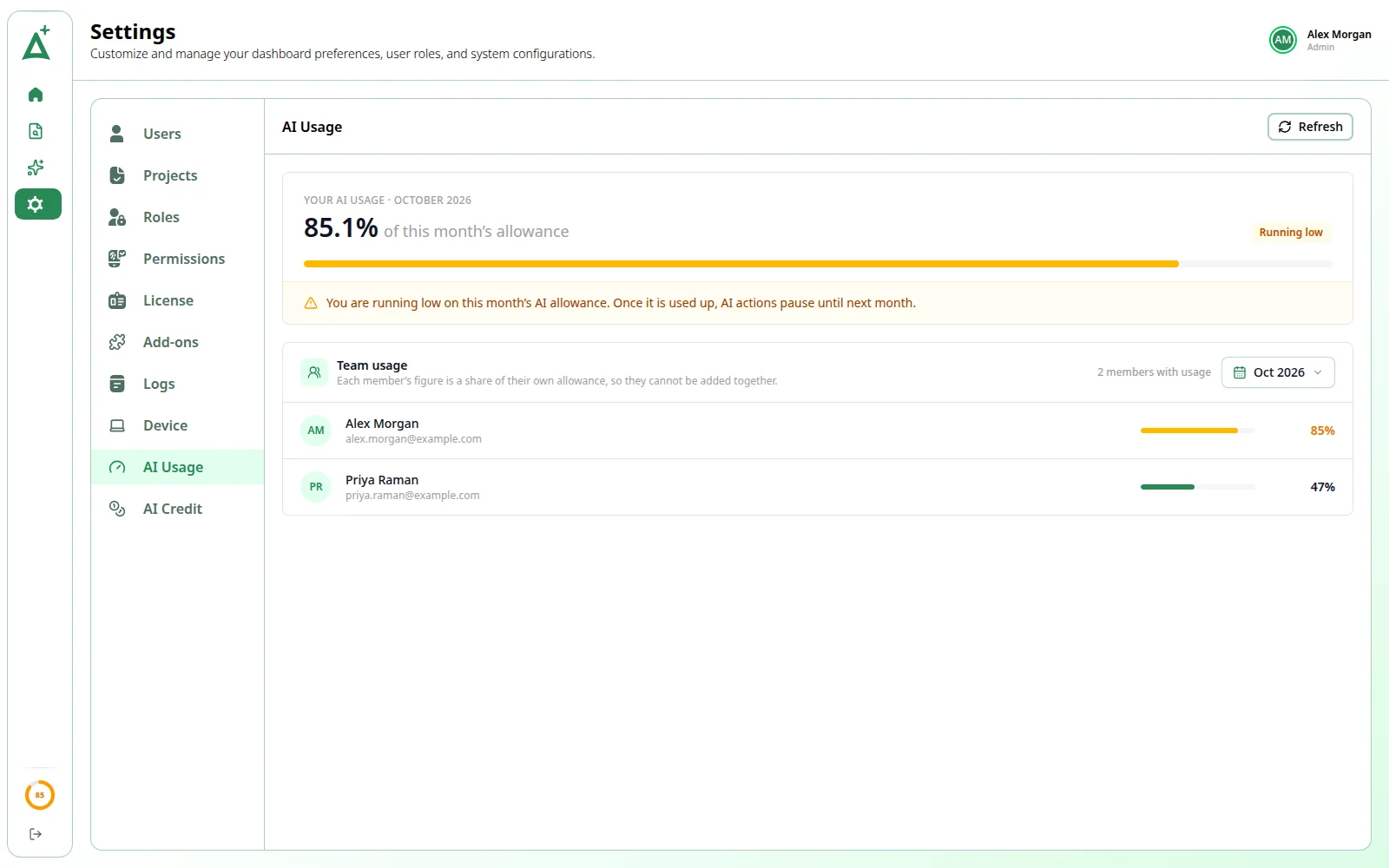
Every AI run is started, watched and stopped from the AI runs strip on the Studies page, with one card per stage. A gauge in the sidebar shows how much of your monthly AI allowance you have used.
- One card per stage
- Start AI on pending work
- Monthly usage gauge
PubMed search agent
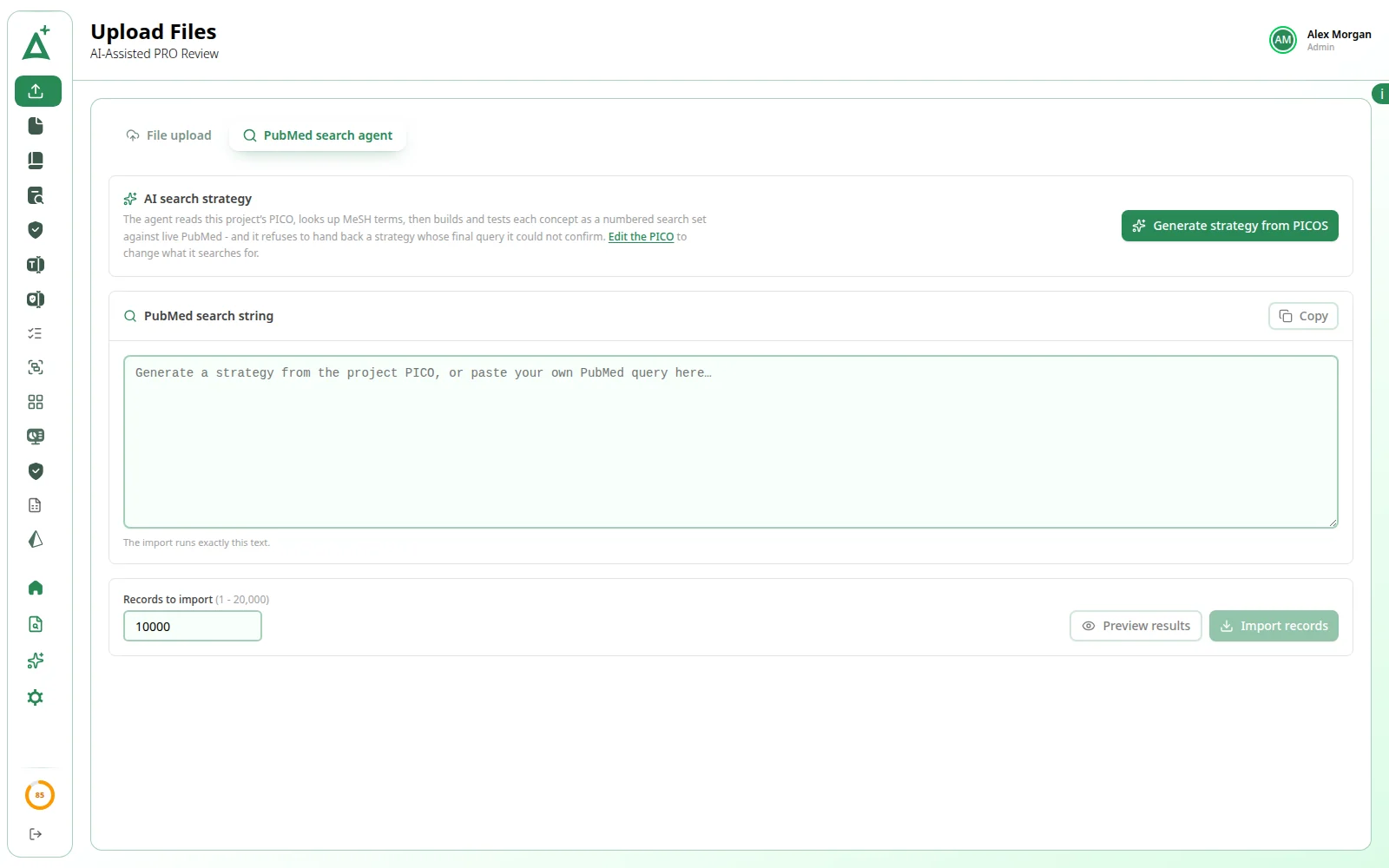
Search PubMed from your PICOS.
The PubMed search agent builds and checks a PubMed search from the project's PICOS, then imports the results straight into the project as studies.
- Built from your PICOS
- Search checked for you
- Imported as studies
PICOS from your protocol
Your protocol, read for you.
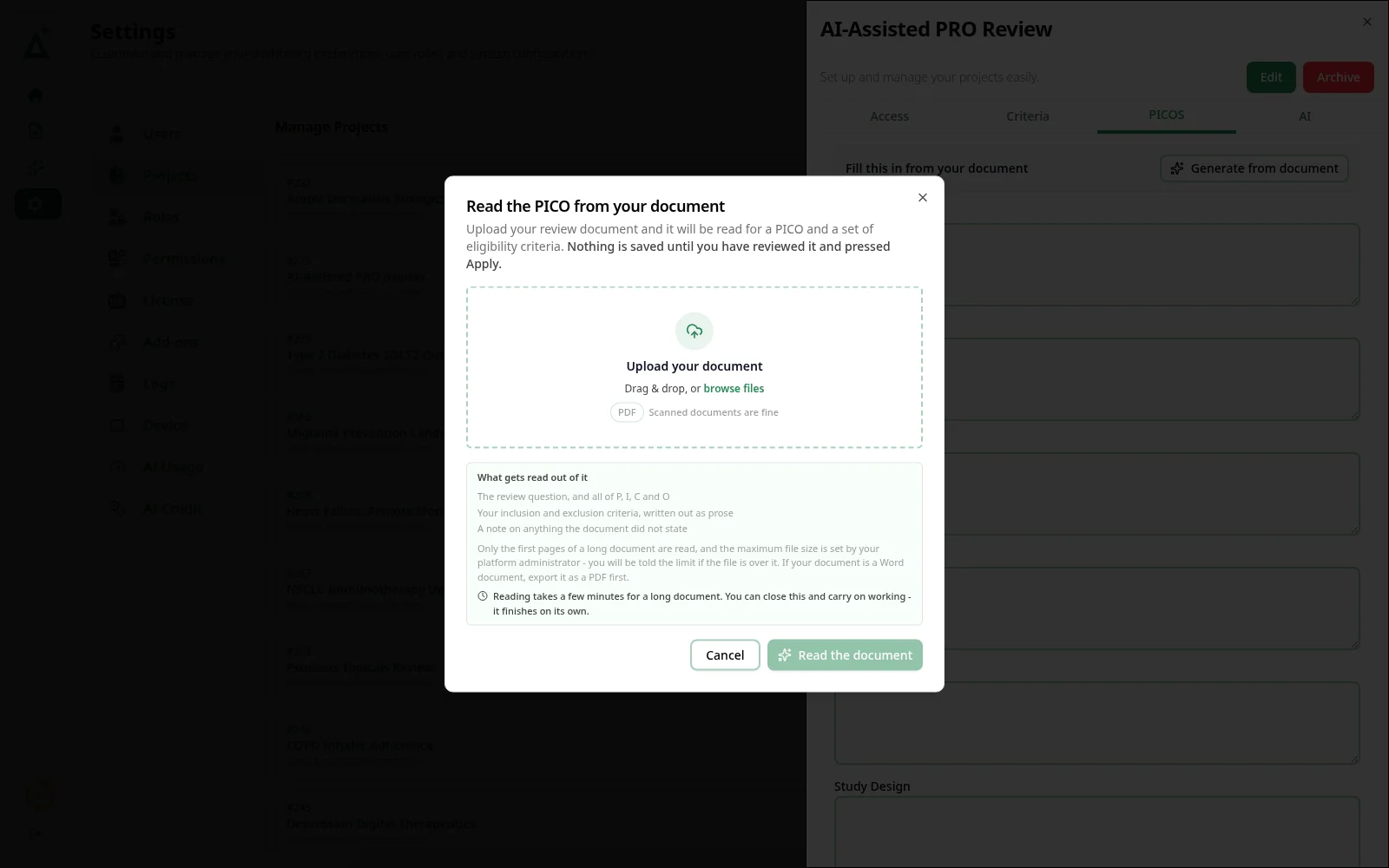
Generate from document reads your review protocol, a PDF (scanned documents are fine), and proposes the review question, the PICO and your inclusion and exclusion criteria for you to apply.
- Reads scanned PDFs
- All eight fields drafted
- You apply what you keep
Grid & extraction
Draft the grid, fill the sheet.
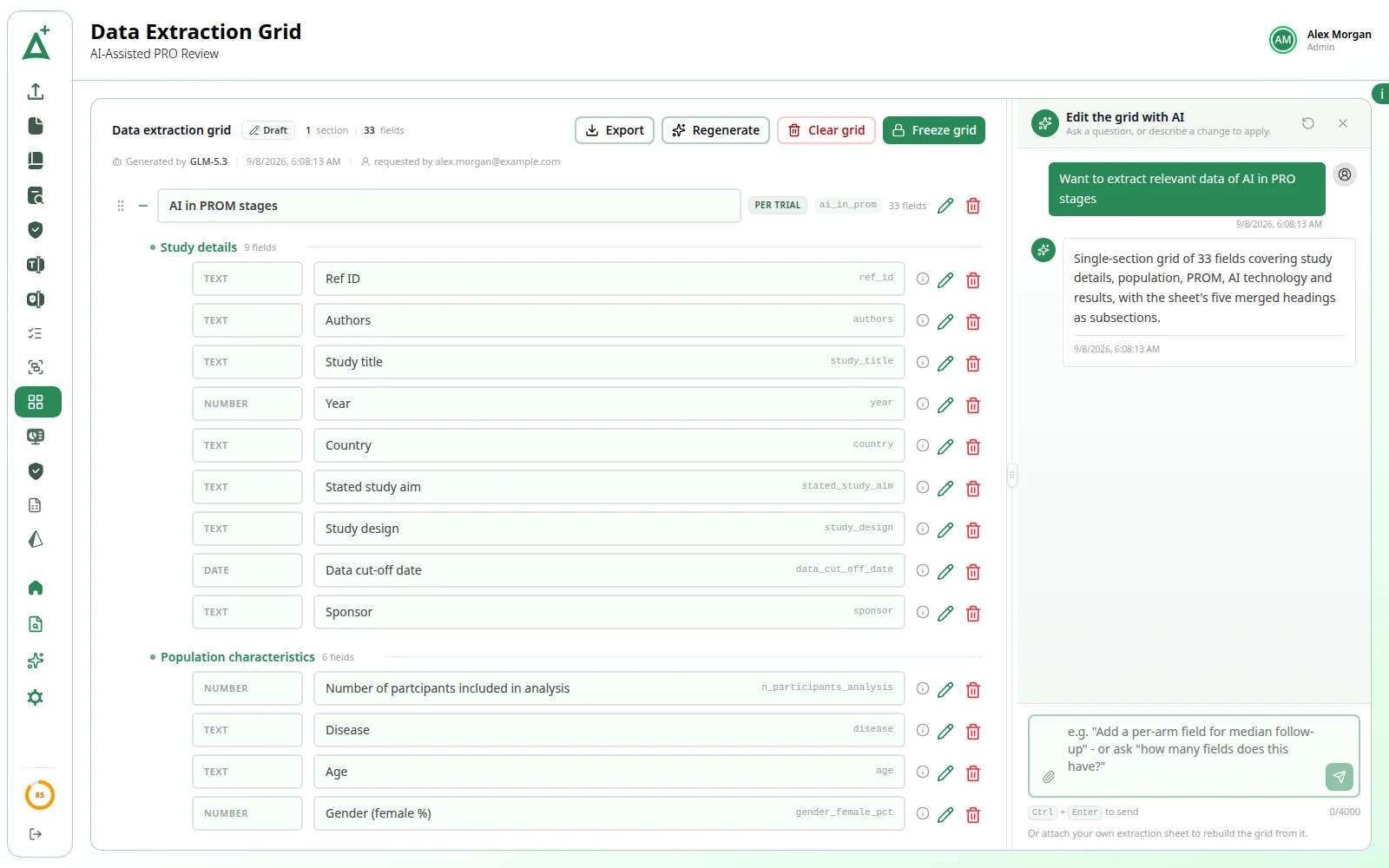
Draft the extraction grid from a short brief or edit it through an AI chat. Extract with AI drafts a trial's empty cells into your own slot, each value with a source quote, a page and a confidence percentage, for you to review and sign off.
- Draft the grid with AI
- Edit with AI chat
- Quote, page and confidence
A person always makes
the final call.
A person always decides.
AI's decisions go through the same quality check, reconciliation and override screens as anyone else's. AI never acts as the quality checker or the reconciler.
Never overwrites a person.
A decision someone has already made is never replaced, and a trial someone has started extracting is never taken. Your team keeps working as normal.
Every AI decision is badged AI.
Decision badges read AI with a sparkle icon instead of Reviewer 1 or Reviewer 2, and its reasoning is the note labelled AI: in the comments strip.
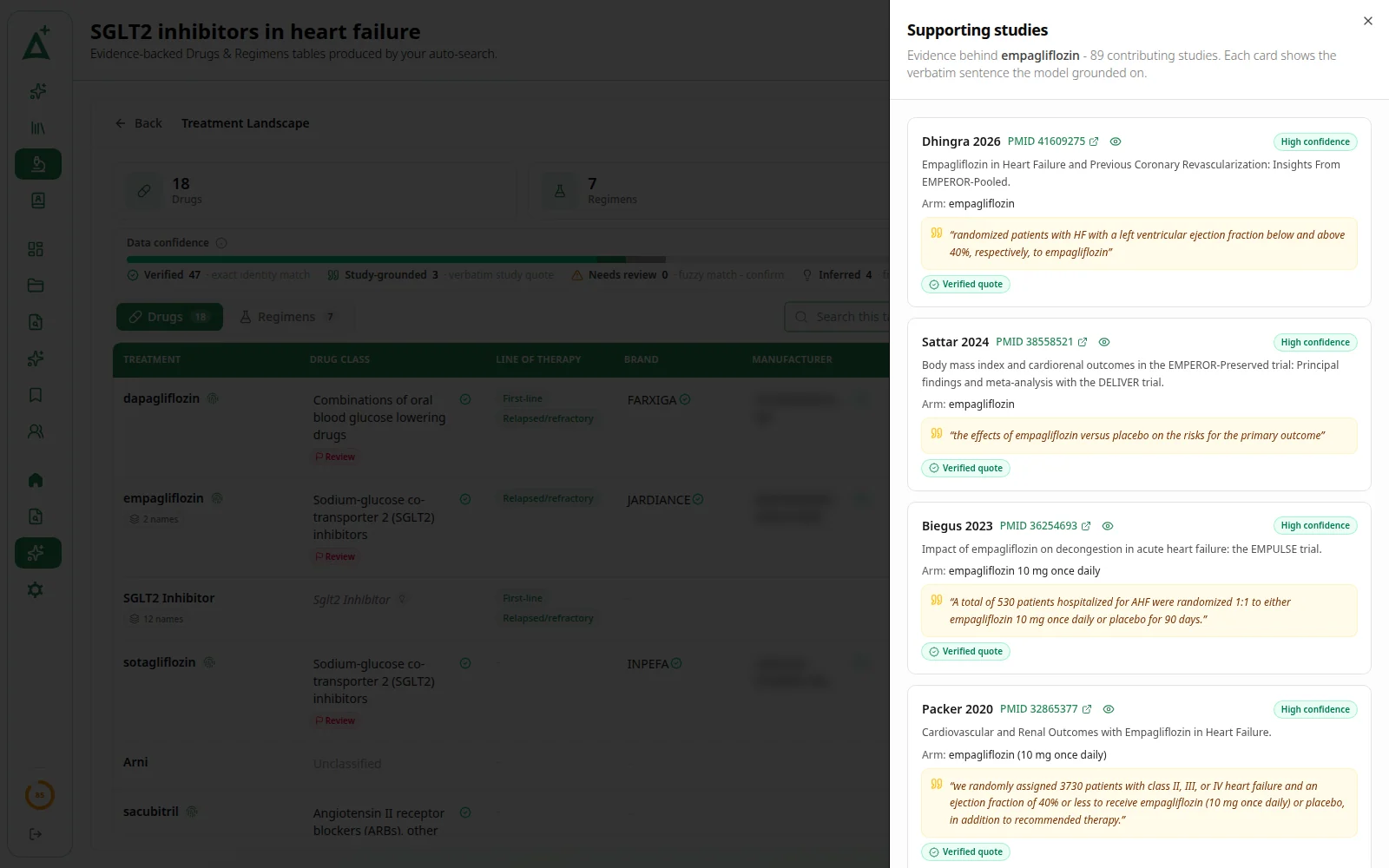
Every value is quoted, with its page.
Each AI value keeps its source quote, tagged direct quote, same section or inferred, and the page it is on, one click from the highlighted sentence.
Usage is always in view.
A gauge in the sidebar shows how much of the monthly AI allowance you have used. Administrators see team usage and can switch AI off for a member.
On per organization, per project.
ActiveSLR Plus is switched on for the whole organization, and AI is set up project by project, stage by stage.
Two add-ons for
faster reviews.
Rapid Review and Auto Project are optional add-ons for fast, AI-led reviews of the PubMed literature. Each is switched on for your team separately from ActiveSLR Plus, and its AI work counts towards the same AI allowance.
- Add-on 01
Rapid Review
“Run AI-assisted rapid reviews: framework, PubMed search, screening, summary tables, synthesis and data extraction.”
You run each step and review the AI's work, overriding anything you disagree with.
- Add-on 02
Auto Project
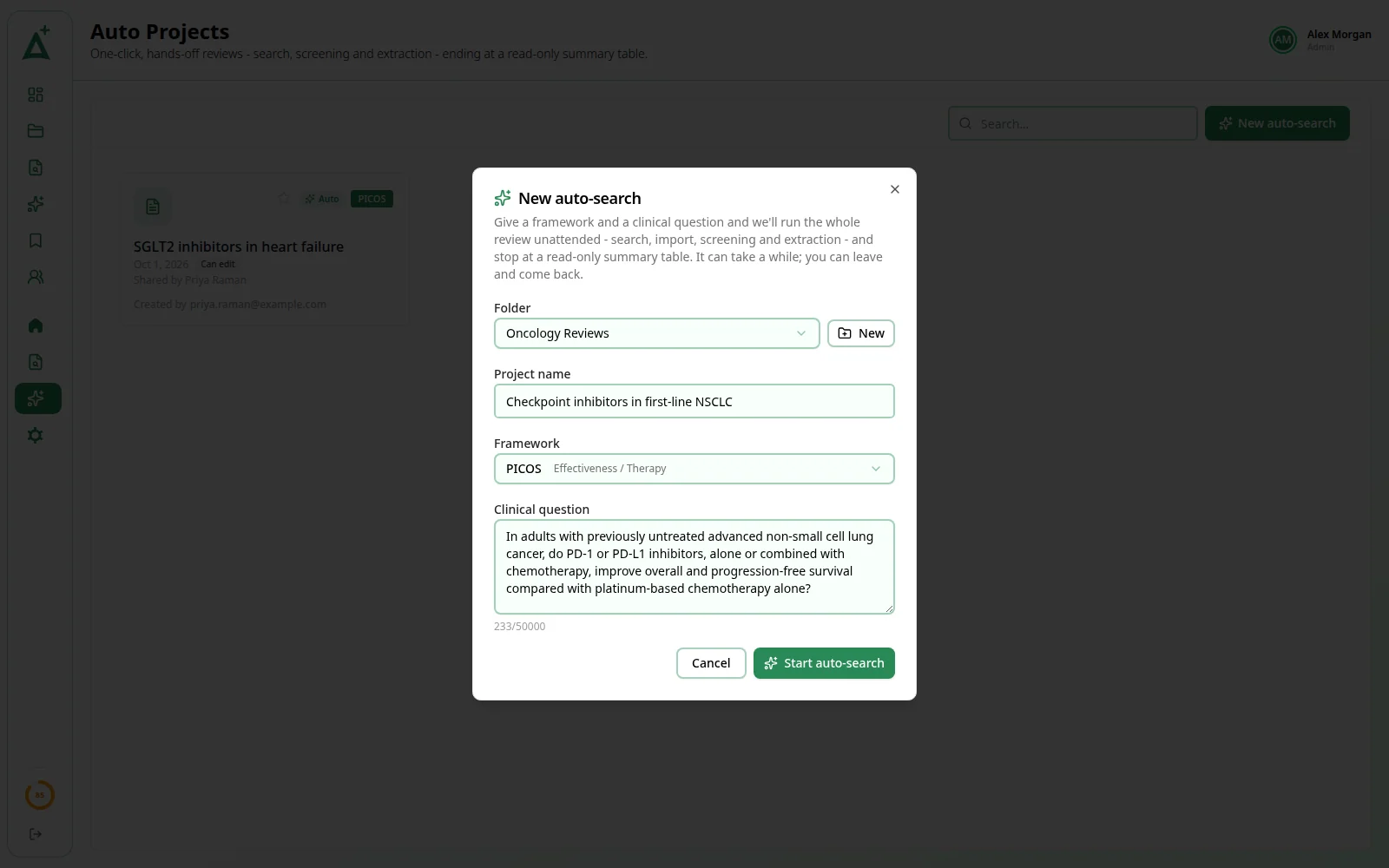
“Give a clinical question and let AI run the review end to end, ending in a treatment landscape.”
You fill in one dialog, then follow the run. The run makes every decision.
A rapid review, step by step.
One project, one question. AI does the heavy work at every stage, from the search to the PRISMA diagram, and you check each stage and override anything you disagree with.
01 / 08Question
Frame the question
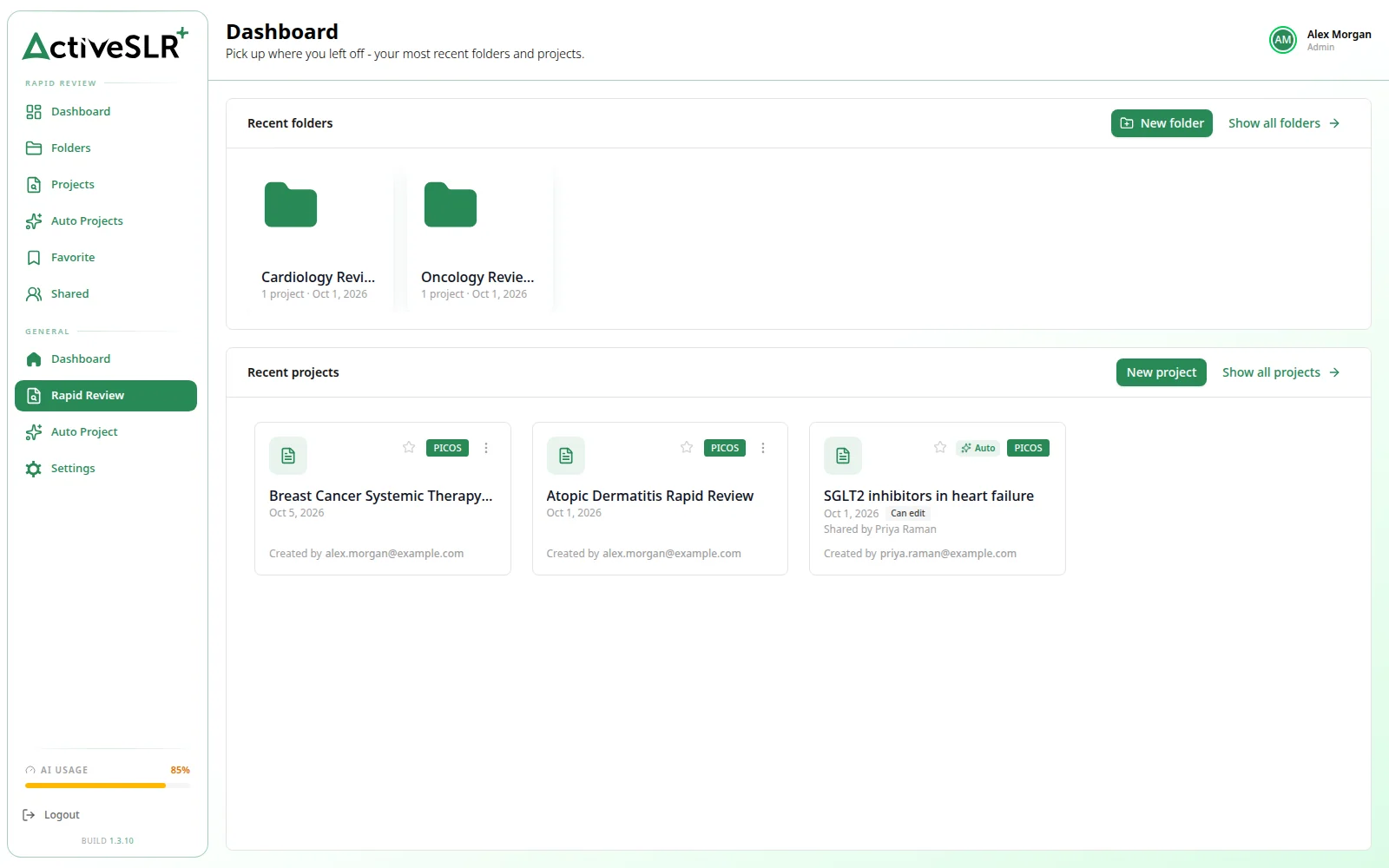
Start a project in a folder of your Rapid Review library, choose a framework (PICOS, PICOC, CoCoPop, PEO, PFO or PIRD) and write the question as one plain sentence. AI drafts one element per framework part for you to review and refine.
02 / 08PubMed search
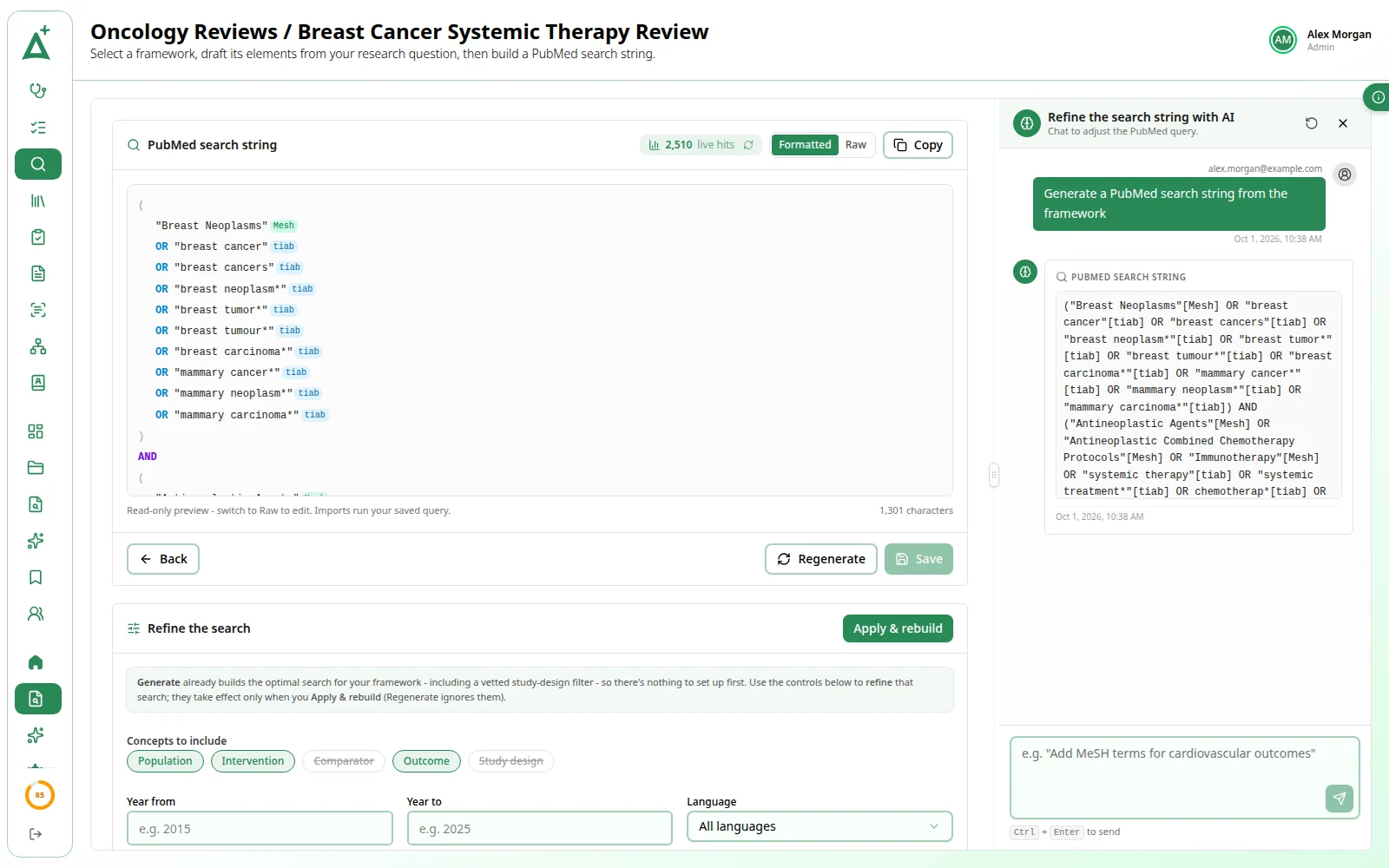
An AI-built PubMed search
An AI agent builds the search string from your framework elements, testing candidate queries against PubMed as it goes, and shows the live hit count. Refine it by chat, then import from PubMed or upload a file.
03 / 08Ti-Ab screening
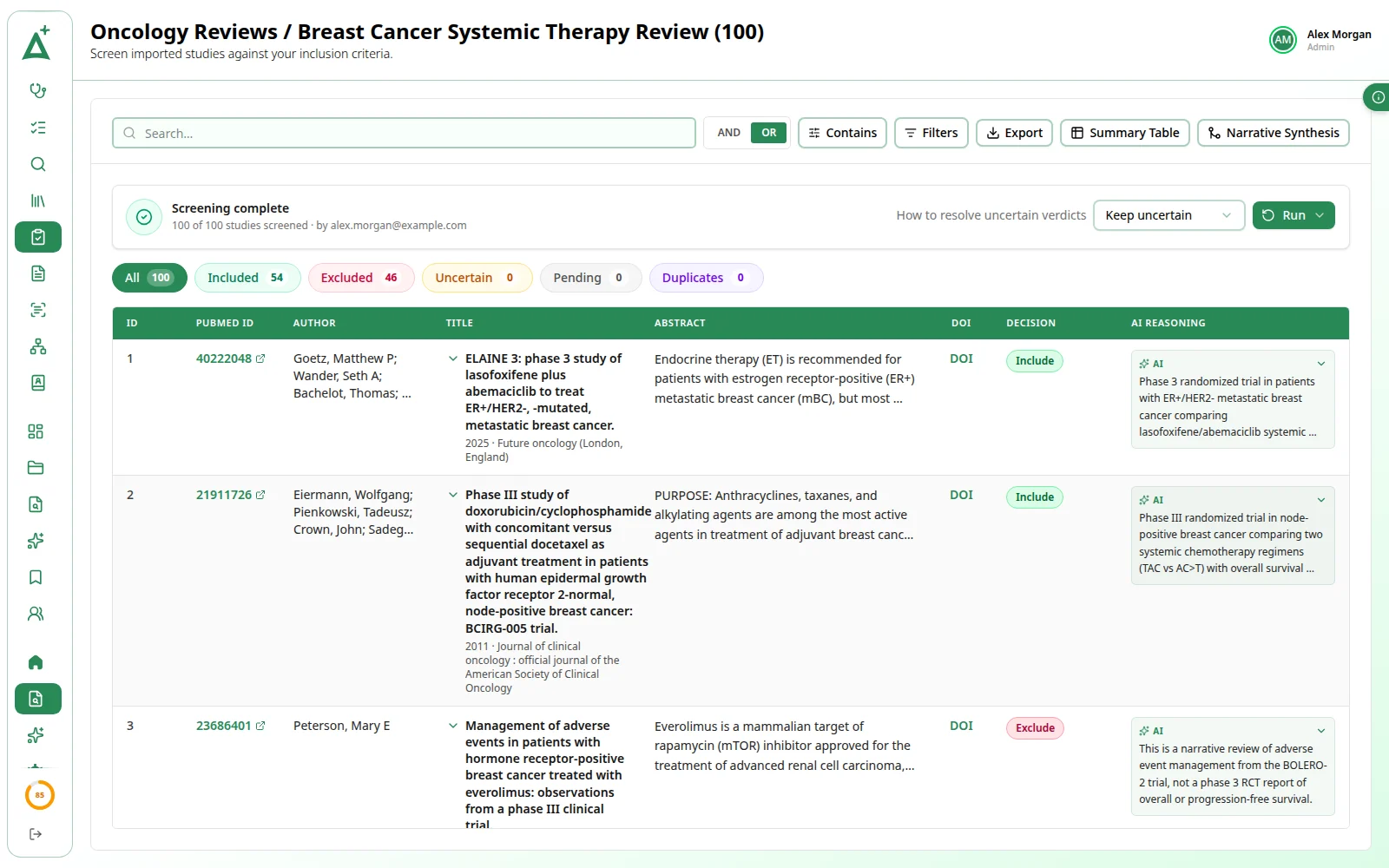
AI title/abstract screening
AI screens every study on its title and abstract in one background run and files it as include, exclude or uncertain, with its reasoning. Filter by verdict and override any decision you disagree with.
04 / 08Full-text screening
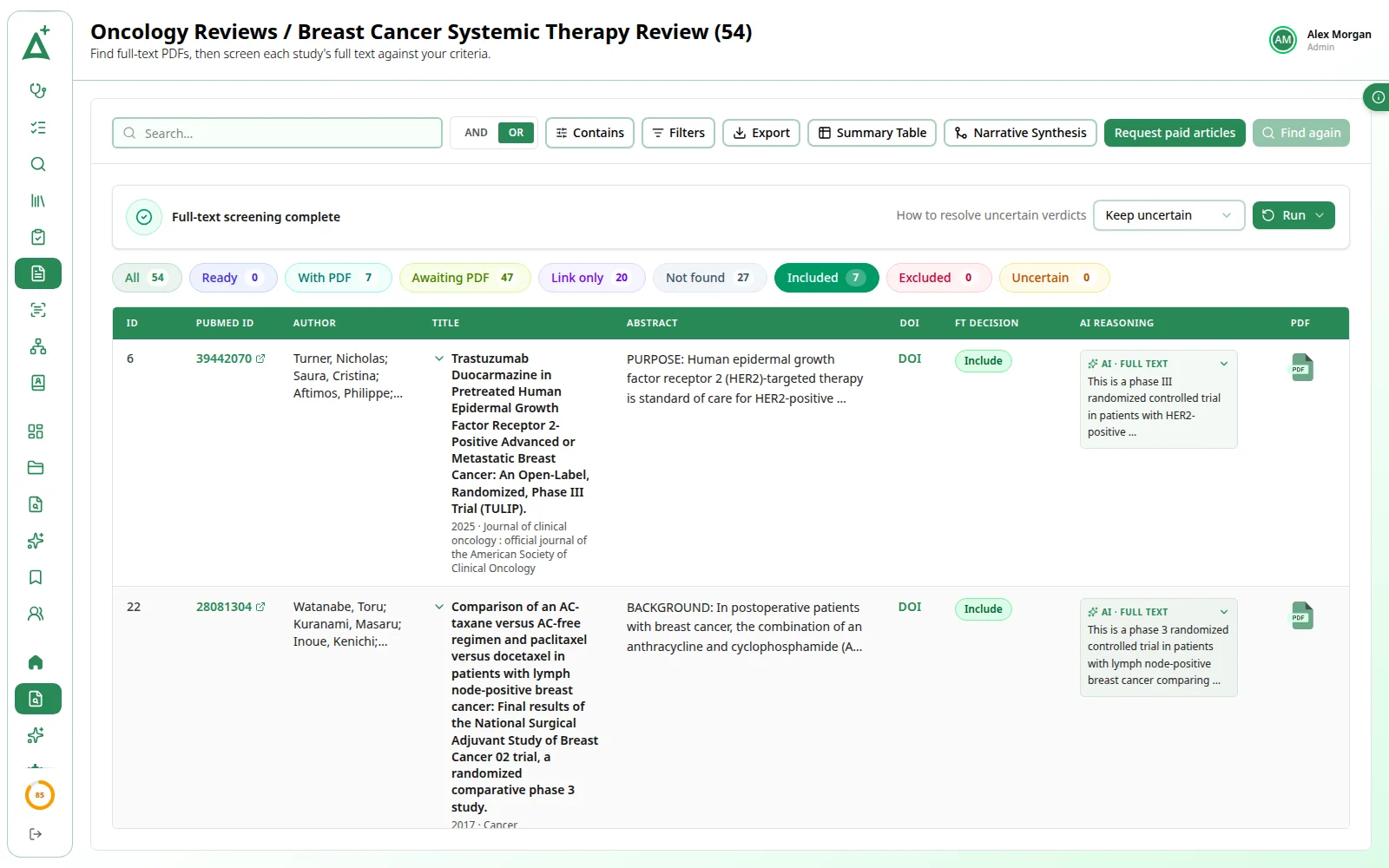
AI full-text screening
Find Full Text looks for each study's PDF, then the AI reads the whole paper and gives every study a verdict with its reasoning. You decide which verdicts to accept.
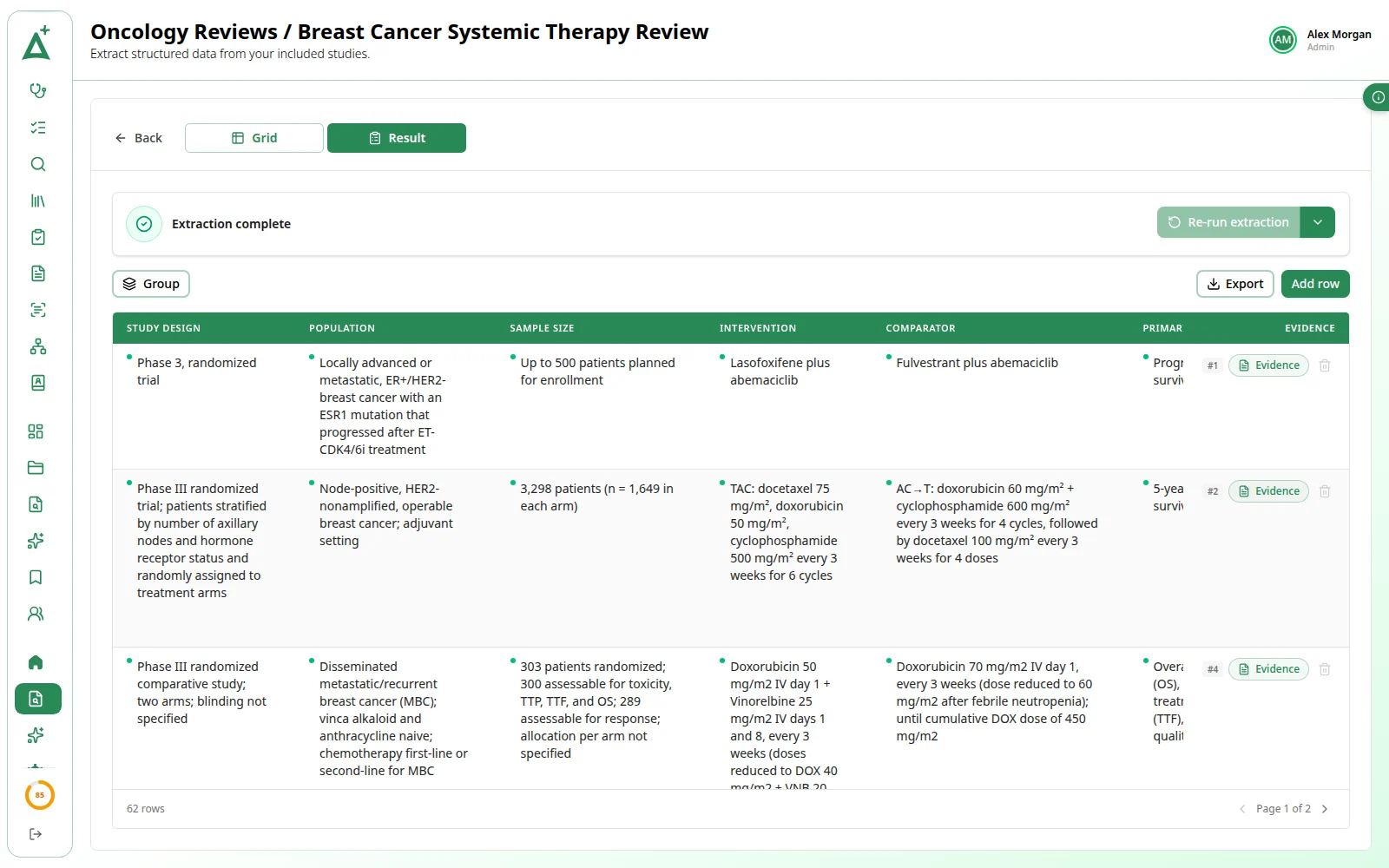
05 / 08Summary table
A summary table, filled for you
Describe the columns you want. The AI reads the title and abstract of every included study and fills them in, one row per finding, each row keeping the sentence it came from. Correct any cell and download CSV or Excel.
06 / 08Narrative synthesis
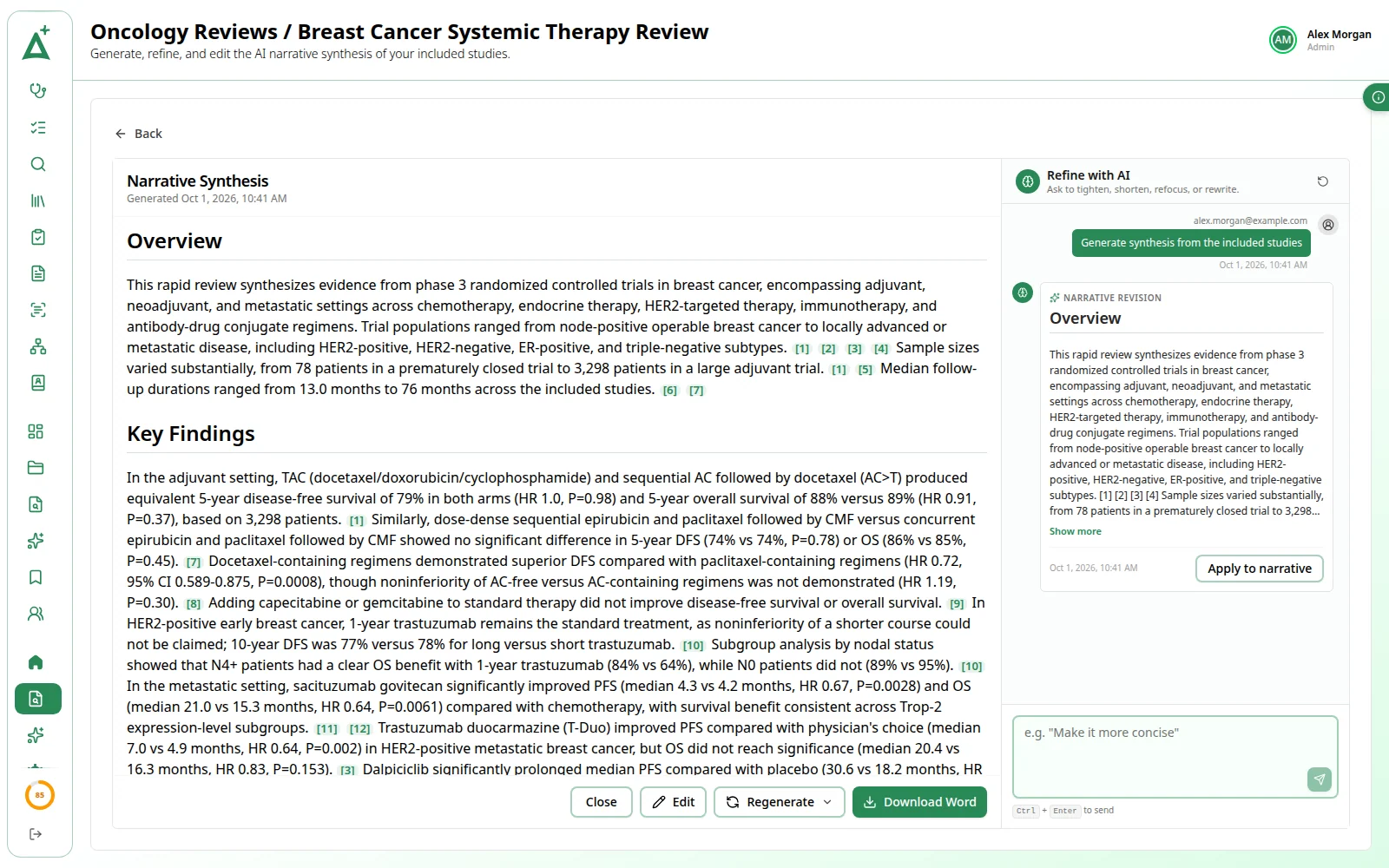
A narrative synthesis, drafted
AI writes a narrative across the included studies and ties each point to the study it came from. Refine it by chat, ask for a change to one selected passage or edit it yourself, then download it as a Word file.
07 / 08Data extraction
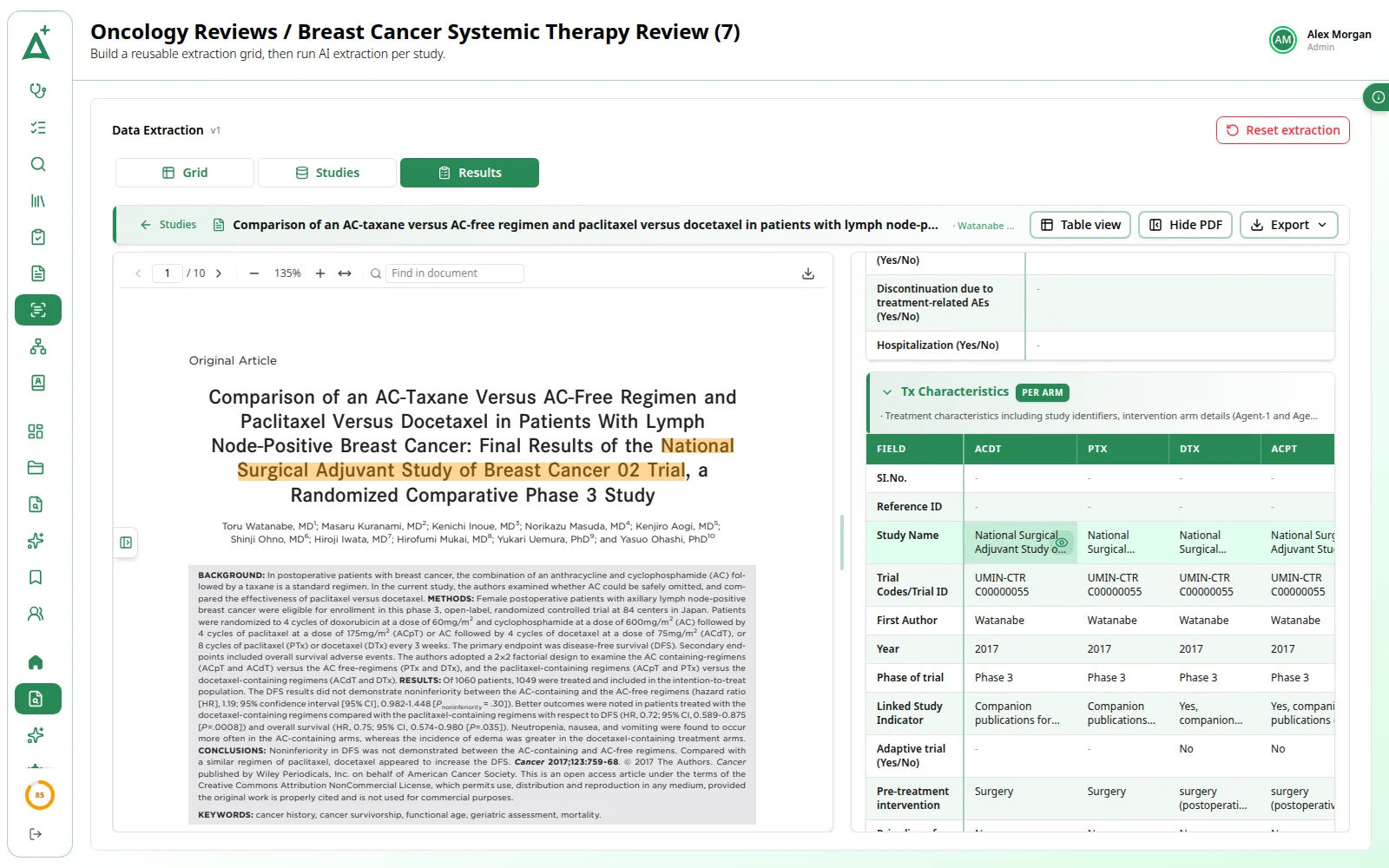
Data extraction with source quotes
Draft a grid from your PICO, freeze it and let the AI read each included study's PDF against it. Every value keeps the sentence and page it came from, one click away in the PDF.
08 / 08PRISMA
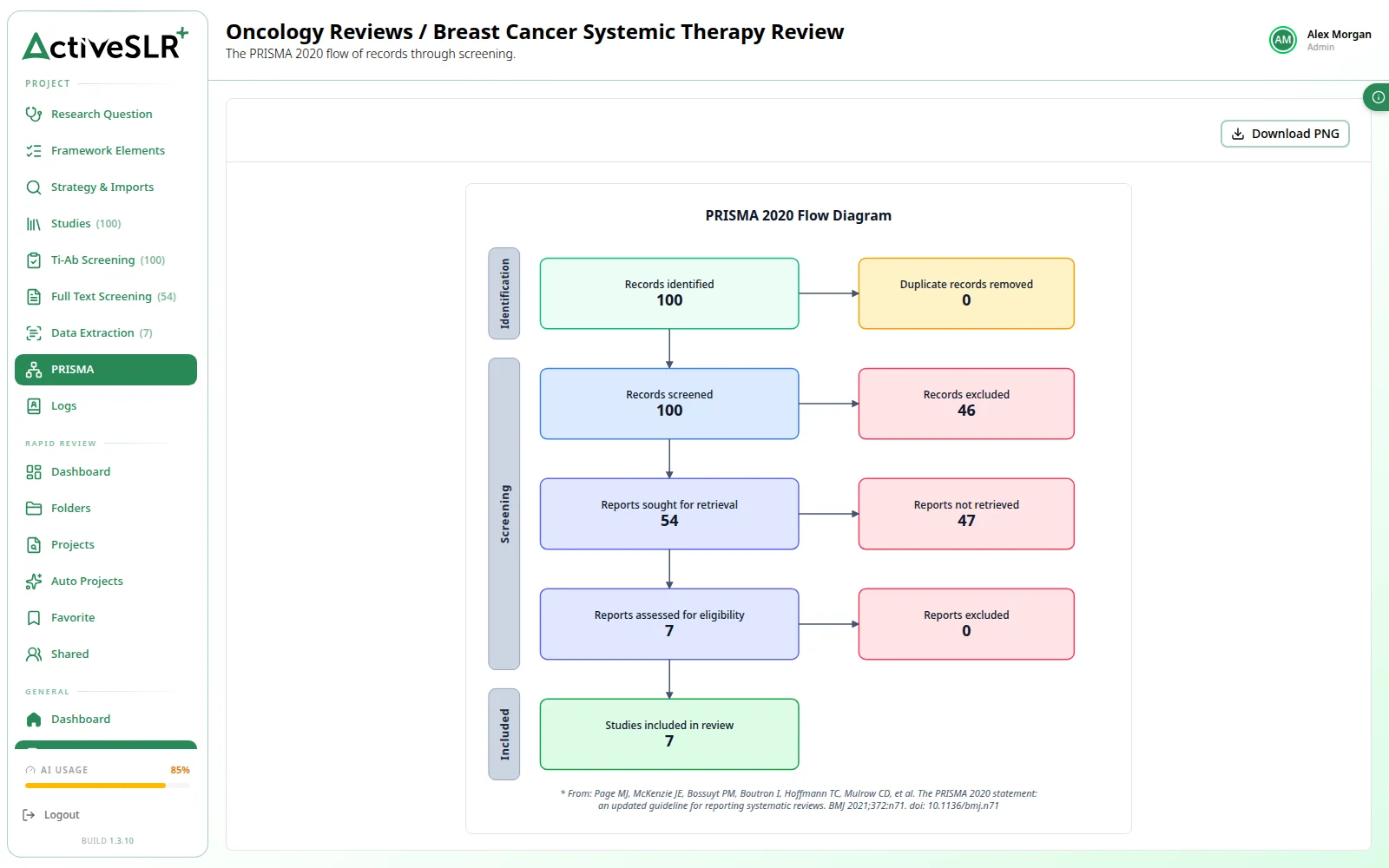
PRISMA, drawn from the counts
The PRISMA 2020 flow diagram is drawn from the live screening tally, with nothing to fill in, and downloads as a PNG for your report or manuscript.
One question in,
a landscape out.
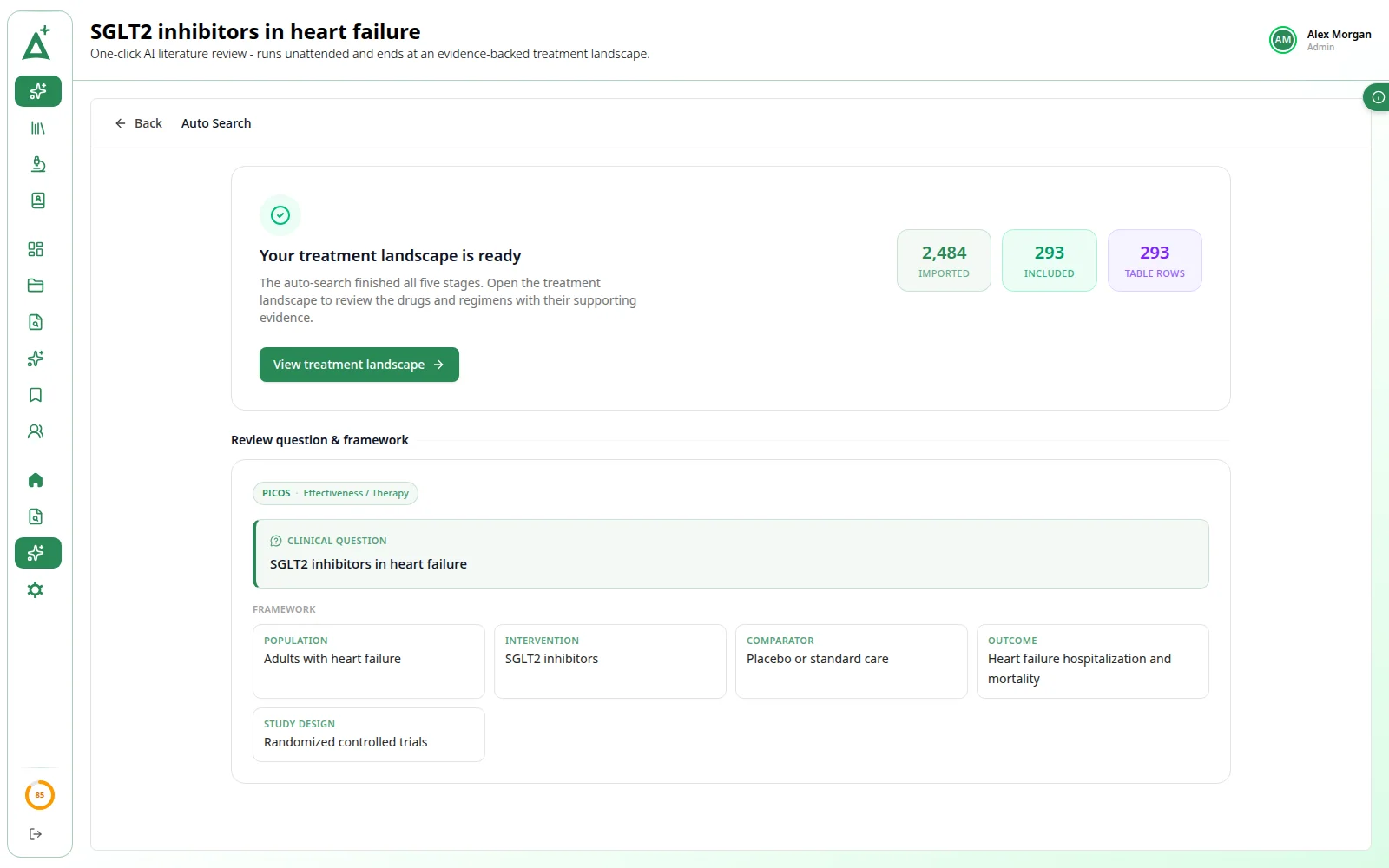
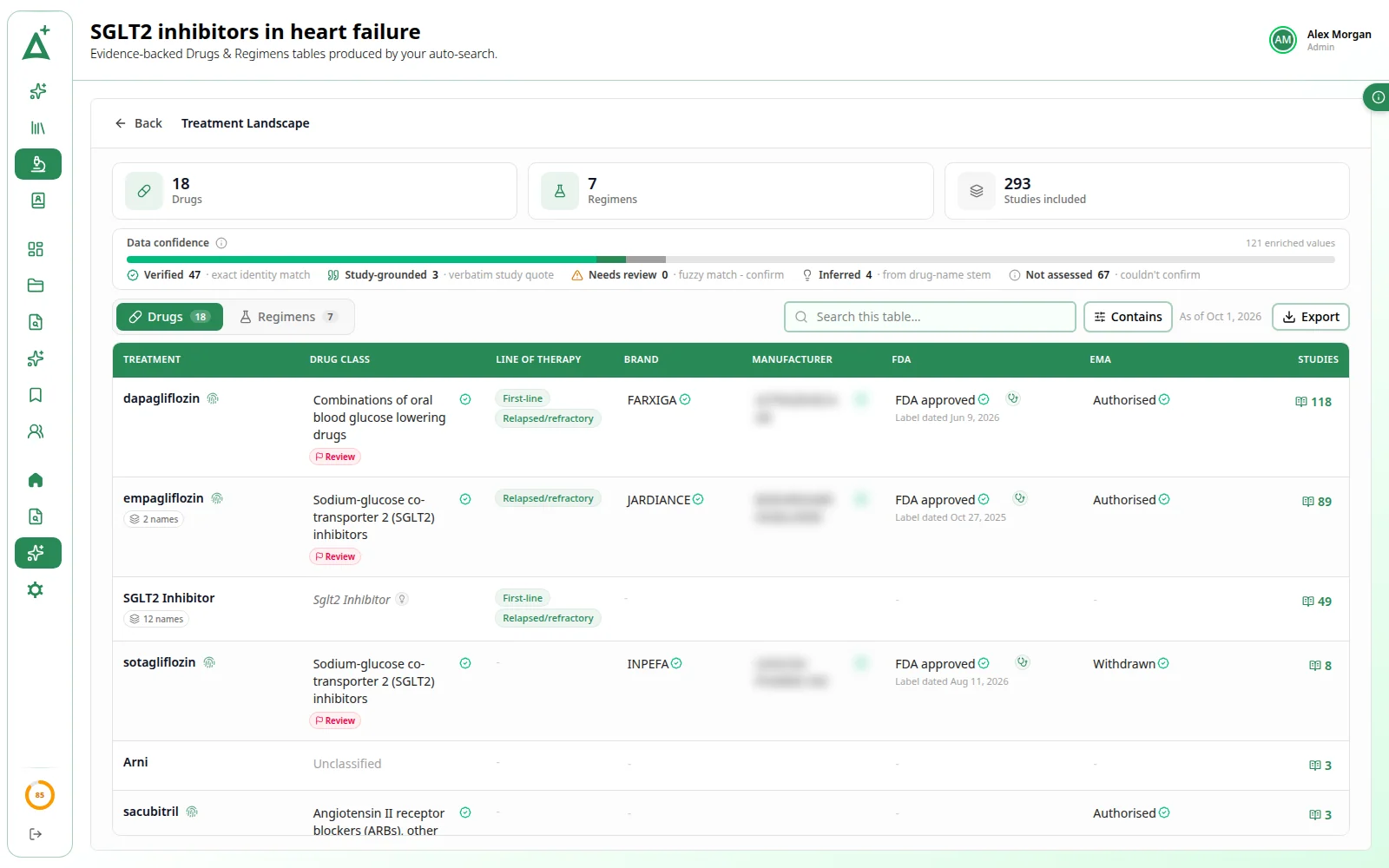
Give it a name, a framework and one clinical question. It runs the early review on its own and ends in a Treatment Landscape: the drugs and regimens the included studies describe, with the evidence behind each value.
Stage 1 of 5
Framework
Drafts the framework elements from your clinical question.
Stage 2 of 5
Search
Searches PubMed live to assemble and refine the query.
Stage 3 of 5
Import
Fetches the matching records and removes duplicates.
Stage 4 of 5
Screen
AI reads every title and abstract against the eligibility criteria.
Stage 5 of 5
Summary
Extracts the treatments and looks up each drug's class, brand, FDA and EMA status.
Not a full systematic review. An auto project stops at the Treatment Landscape and its screening decisions are read-only. When you need full-text screening, a synthesis, data extraction or a PRISMA diagram, run the question as a Rapid Review project.
Bring AI to your next review.
ActiveSLR Plus is switched on for your whole organization. Talk to us about your team.
Ready when you are
Let's accelerate
your evidence.
Start your ActiveSLR® journey today. Experience structured, AI-assisted screening, and bring in ActiveSLR Plus when you want AI at every stage.