Upload
Bring your search results straight in. ActiveSLR® supports RIS and NBIB citation files, so a new review is set up in minutes.
Search, screen and extract with every decision traceable.

ActiveSLR® is bespoke literature review management software that supports reviewers throughout the screening and data extraction process. With a focus on ease of use and optional AI functionality throughout, it helps you get to meaningful evidence and data insights as efficiently as possible.
More about usSix stages, one workspace. Turn the pages: every step of a systematic literature review, with AI when you need it.
Bring your search results straight in. ActiveSLR® supports RIS and NBIB citation files, so a new review is set up in minutes.

True duplicates are flagged for removal in a few clicks; possible duplicates are shown side by side for a guided review. Proprietary removal with ~100% accuracy.

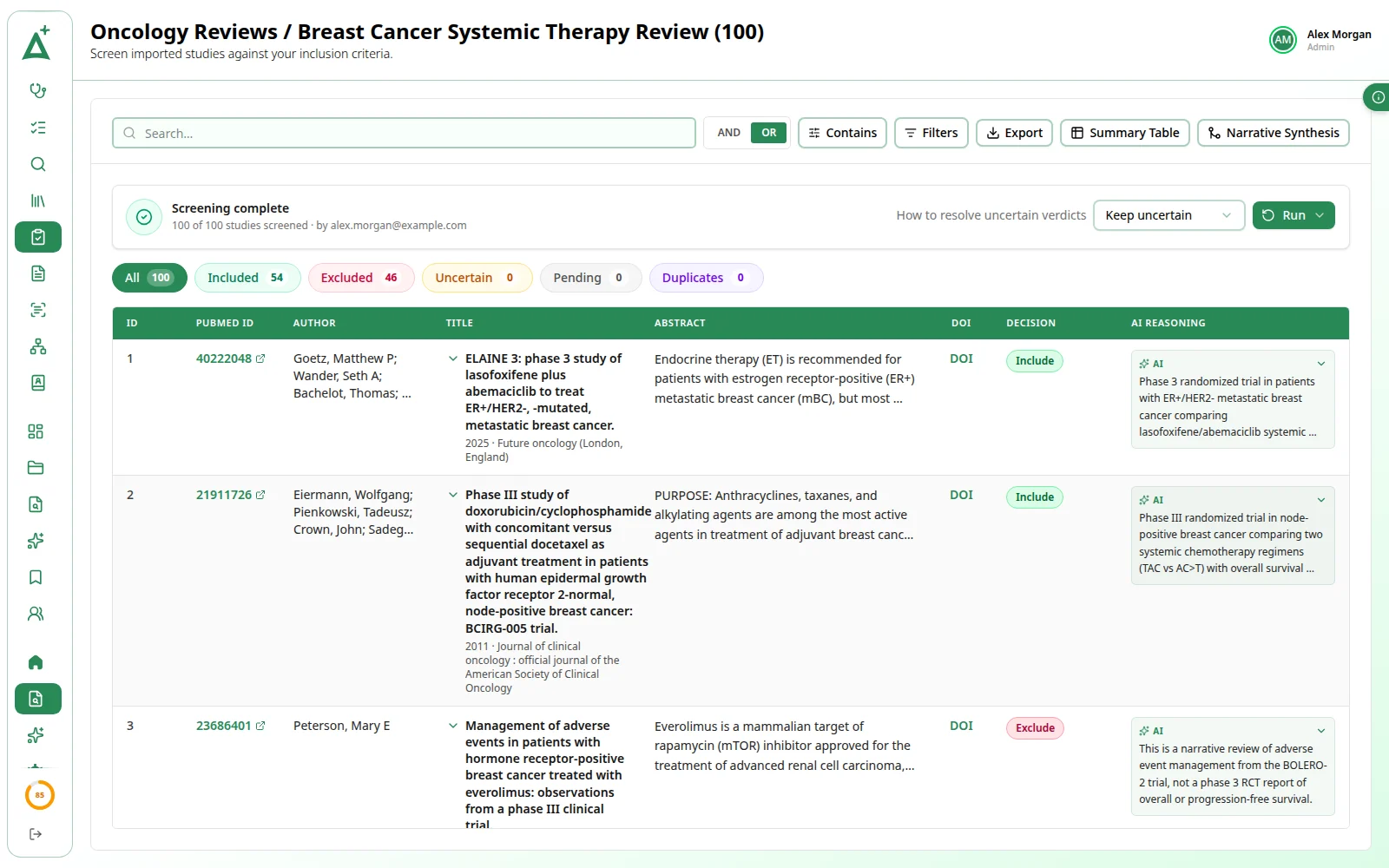
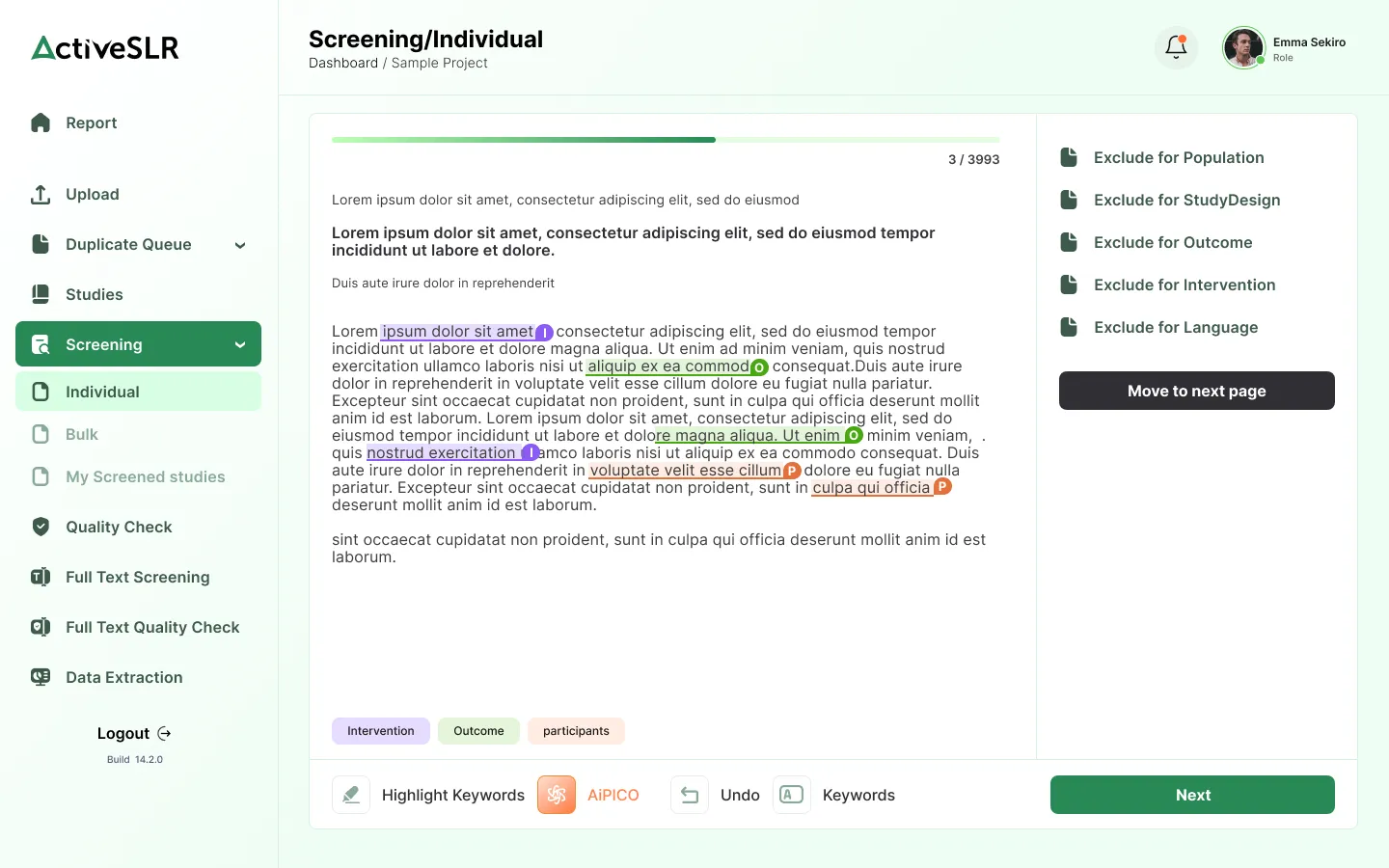
Screen with bespoke exclusion criteria, colour-coded PICOS highlighting, AI-driven PICO and keyword highlight, with AI functionality when you need it.
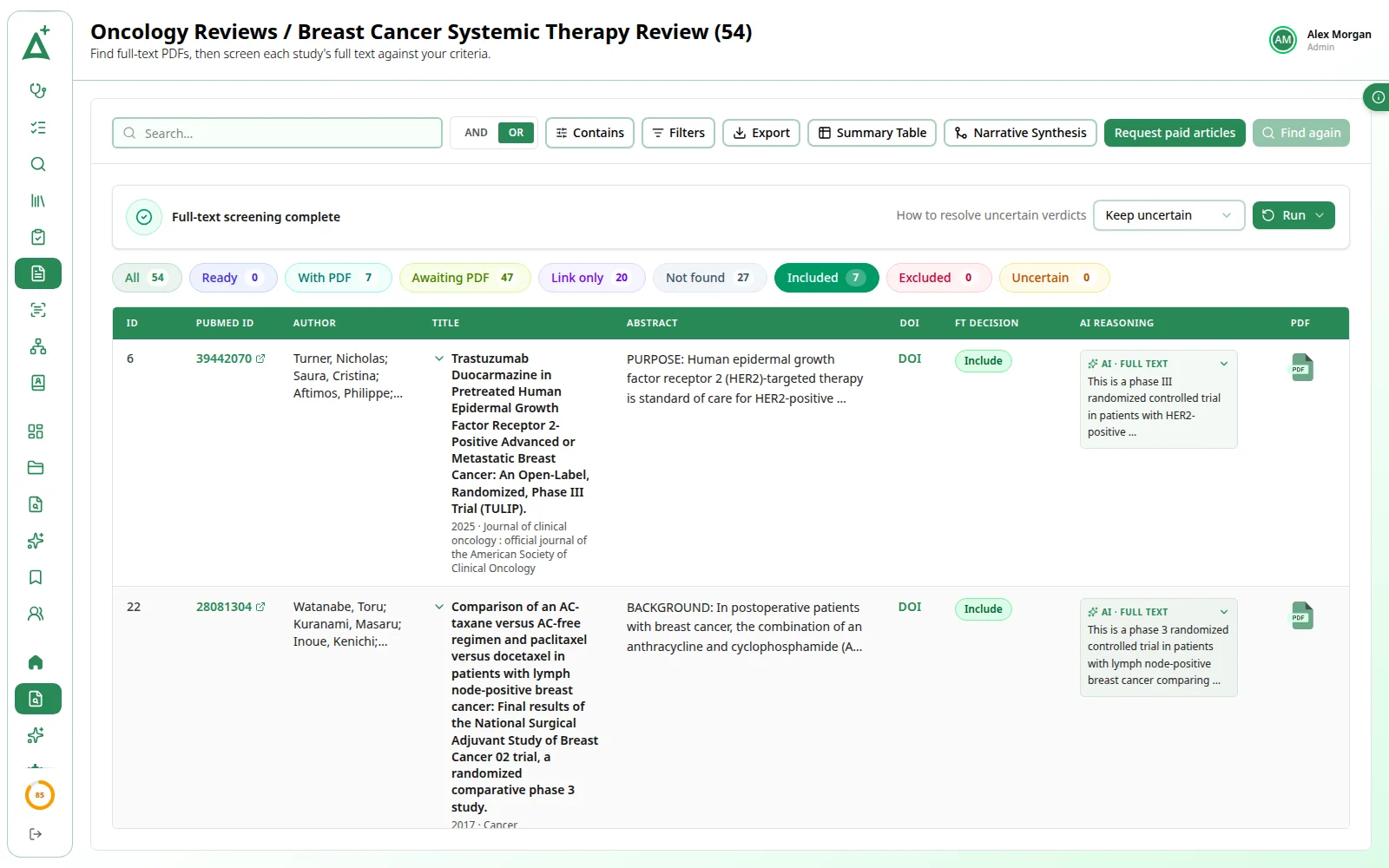
Automatically identify freely-available full texts and prepare full-text order lists with ease. Open access articles only, retrieved via Unpaywall.

Auto reconciliation brings reviewer decisions together, with quality checks built into the same workflow.
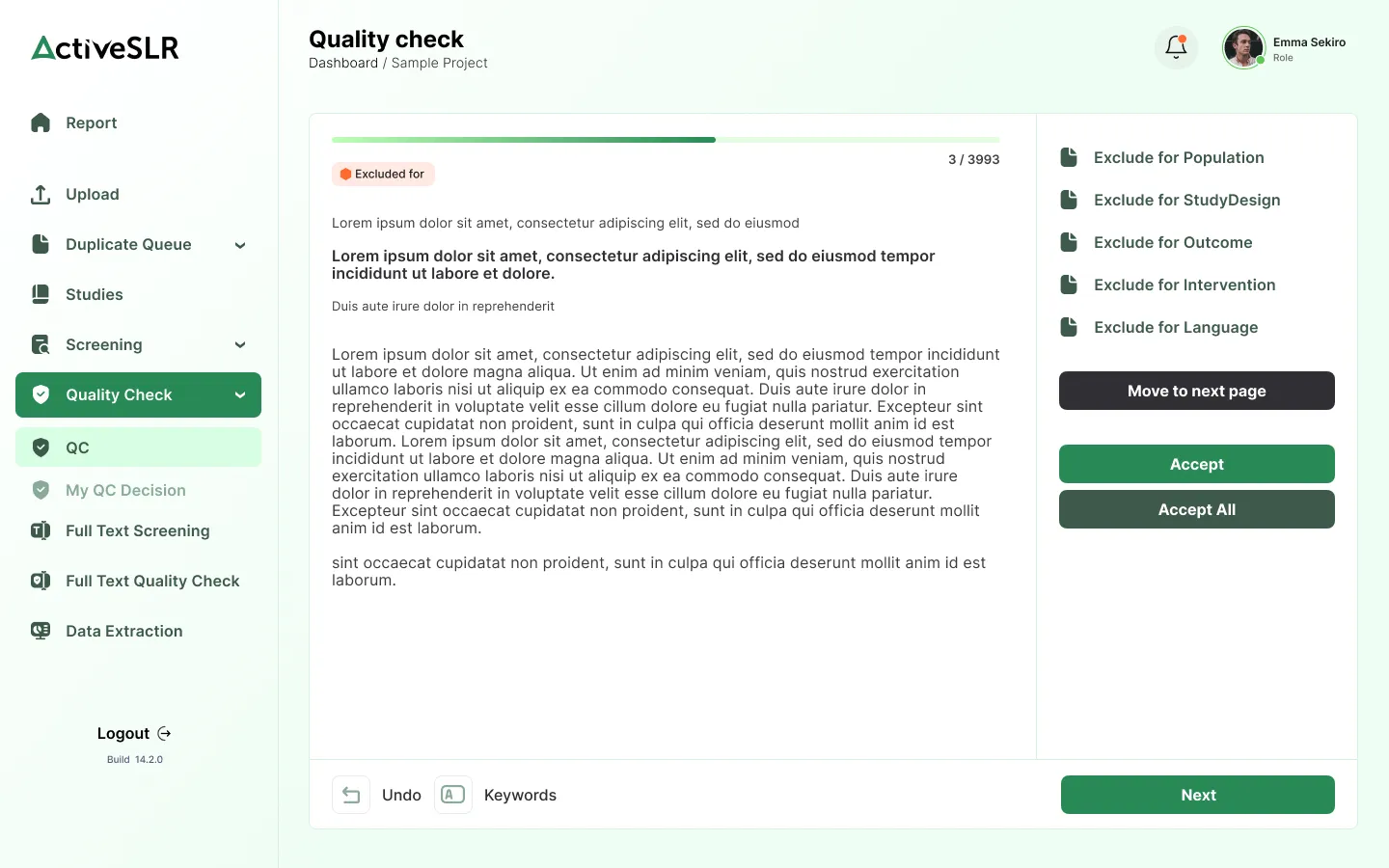
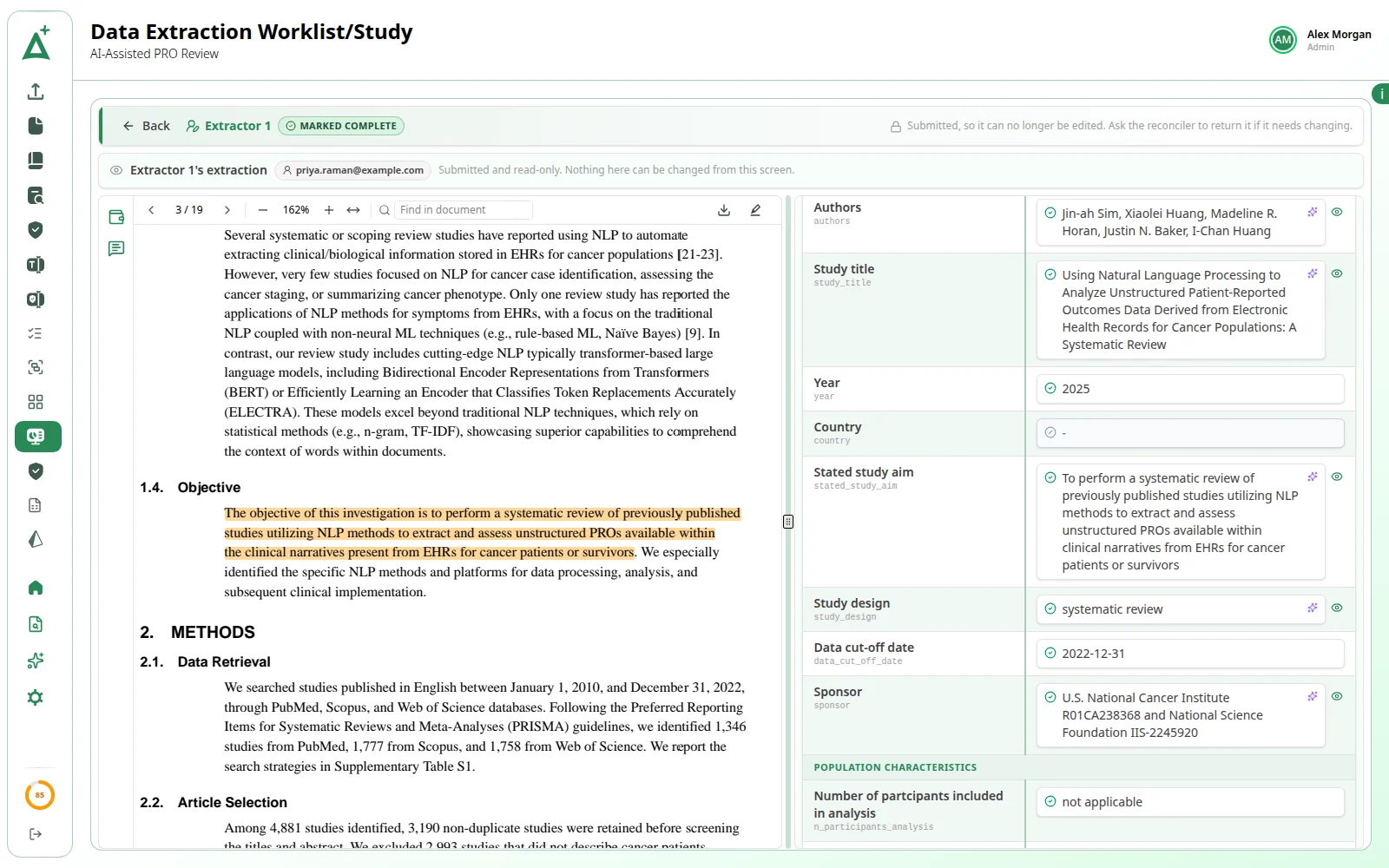
Design bespoke data extraction tables or use templates, follow progress throughout the project and prepare outputs or export at any time.

A snapshot of what ActiveSLR does for your review, from our ISPOR poster and the product docs.
Deduplication
In each of the four assessed projects, as reported in our ISPOR poster. Read the poster (opens in a new tab)
Speed
Across the same four projects, true duplicates flagged in a few clicks.
ActiveSLR Plus
Title/abstract screening, full-text screening and data extraction, each with its reasoning or source quote.
Human in charge
AI only fills a free review slot, and a person always makes the final call at QC and reconciliation.
Accelerating evidence since day one, made for reviewers by reviewers.
From linked trials to the PRISMA diagram, the rest of the review lives in the same workspace.
Group the papers that report one trial and read every full text in place.
Design the extraction form, freeze it and reconcile every value.
A live PRISMA 2020 diagram, a reports dashboard and exports everywhere.
Roles, reviewer groups, an audit log and device control.
Setting up your team, citing ActiveSLR® and how deduplication works. Can't find what you need? Our team is one email away.
Contact supportActiveSLR® offers full customization for roles and permissions, both for specific projects and at an app-wide level.
Project-level permissions
Each role defines specific access rights within a project. You can create as many sets of custom user permissions as you need, but ActiveSLR® offers the following preset rights:
ActiveSLR® allows teams to create custom roles. Figure 1, below, gives examples of “FullAccess” and “Test”, but you can tailor permissions for new roles as you need.
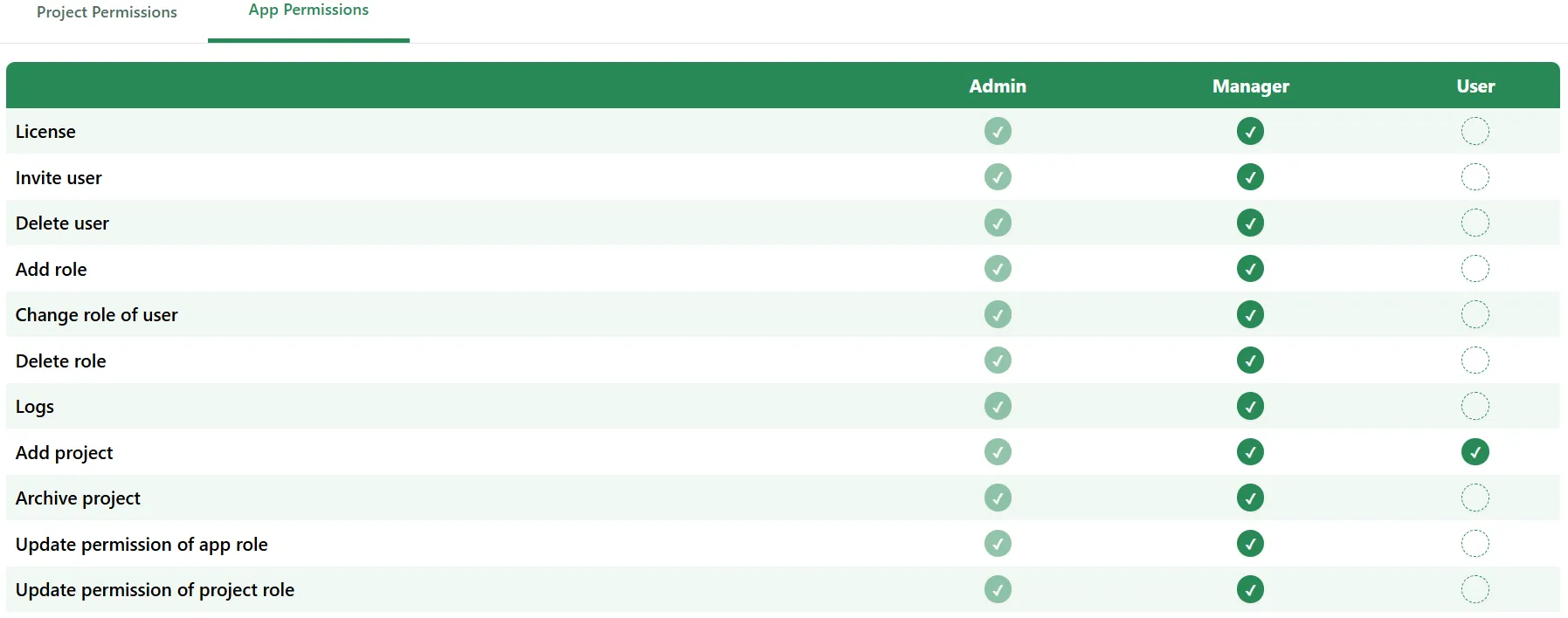
Application-level permissions
These permissions manage the overall use of ActiveSLR®. As standard, ActiveSLR® offers three permissions levels (with two being editable if you need):
ActiveSLR® provides flexible access and permission controls, allowing teams to create their own customized permission matrices. Figure 2, below, illustrates custom roles like “User” where access can be tailored based on requirements.
Figure 1: Project-level permissions
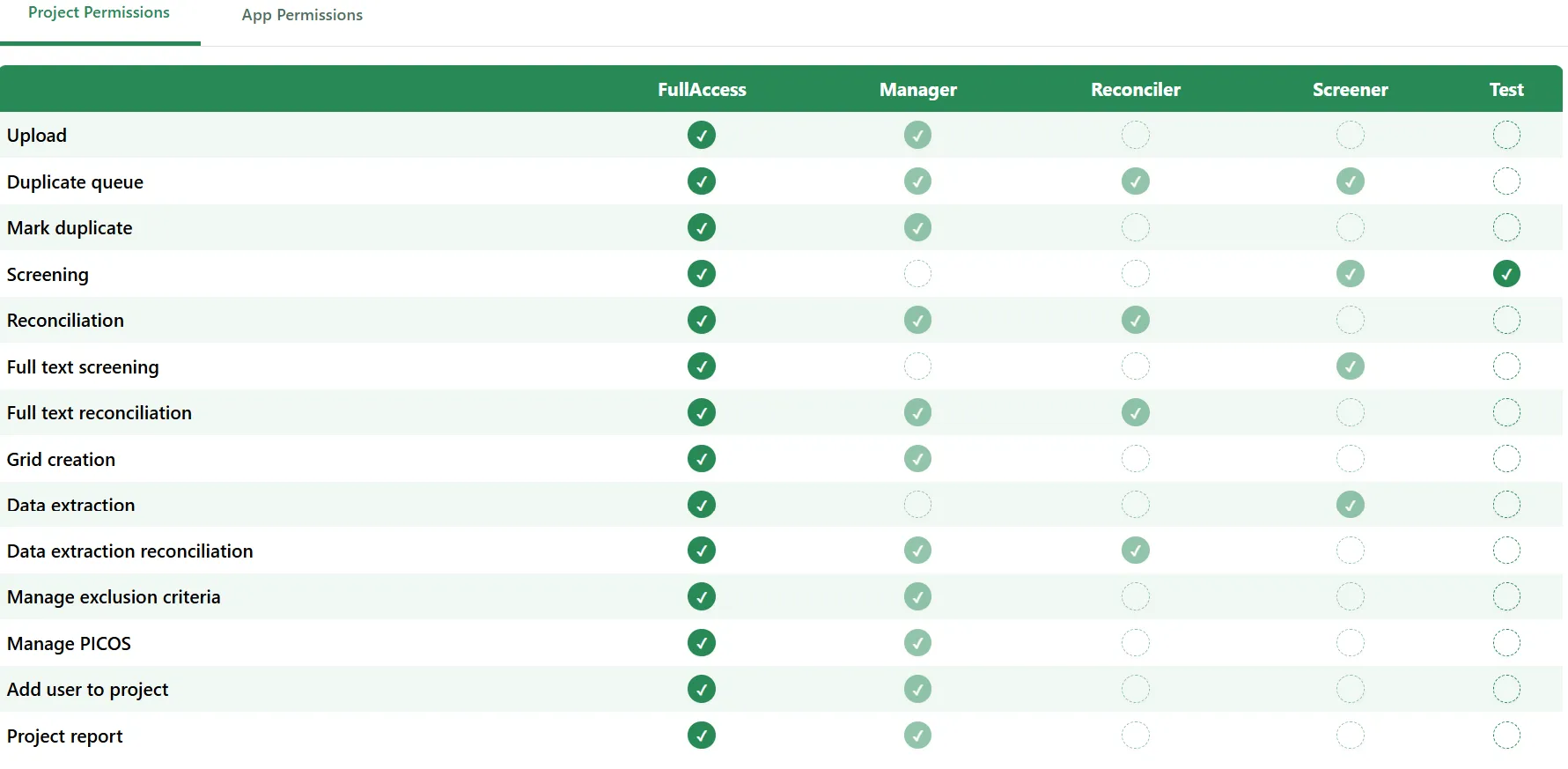
Figure 2: App-level permissions
ActiveSLR® uses a two-step process to eliminate duplicate studies, saving you significant time and effort.
In terms of how accurate this is, in our recent International Society for Pharmacoeconomics and Outcomes Research (ISPOR) poster, we reported that ActiveSLR® identified 100% of duplicates within 15 minutes (average) in each of the four assessed projects.
Ready when you are
Start your ActiveSLR® journey today. Experience structured, AI-assisted screening, and bring in ActiveSLR Plus when you want AI at every stage.